Nothing abnormal in network settings. Ill play with QOS but its just a home with a few streaming devices and phones connected to WiFi. Definitely not a saturated network by any stretch.Assuming you haven’t tweaked your network. If so, maybe set things back to auto. Also, try using the new QOS and give the Alto the highest priority. An Alto max should be around 100Mbps


-
Thanks for visiting the Kaleidescape Owners' Forum
This forum is for the community of Kaleidescape owners, and others interested in learning about the system, equipment, services, and the company itself.It is run by a group of enthusiastic Kaleidescape owners and dealers purely as a service to this community.
This board is not affiliated in any way with Kaleidescape, Inc.
For official technical support, product information, or customer service, please visit www.kaleidescape.com
You can dismiss this box forever by clicking the "X" in the upper right corner of this message. -
You are currently in "Guest" mode and not logged in with a registered account.
The forum is free to use and most of the forum can be used by guests who are not registered....
... but we strongly encourage you to register for a full account. There is no cost to register for a full account.
Benefits of registering for a full account:
- Participate in the discussions! You must have a registered account to make posts on the forums. You will be able to start your own thread on a topic or question, or you can reply to other threads/discussions.
- Use the "Conversation" feature (known as "private messaging" on other forums) to communicate directly with any of the other users here.
- Access the Files area. The "resources" area of the forum contains many "Favorite Scene" and Script files that can dramatically increase the enjoyment of your Kaleidescape system. Go directly to great scenes in your favorite movies, created by other owners, and add automation to playback of your system with Scripts.
- You won't see this annoying notice at the top of every screen!😊
This box goes away for registered users.
You are using an out of date browser. It may not display this or other websites correctly.
You should upgrade or use an alternative browser.
You should upgrade or use an alternative browser.
Unifi Network 9.0
- Thread starter SJHT
- Start date

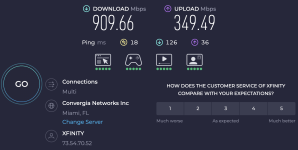
I have the Alto ethernet connection prioritized with QoS and there is no change. I am restarting the Alto to see if that will prompt the download to resume. Its currently stalled showing no transfer rate at all.If you haven’t already done this, run a speed test from Unifi as a baseline. The QOS does work well for the K store. It allocates everything to those devices when needed!
Another thought I had was XFinity was throttling connections to KScape, so I connected to a known fast VPN via OpenVPN tunnel with the UDM. Speed tests 300+ for both up and down through the VPN tunnel. Still no download observed from Alto connecting through the VPN, which should eliminate XFinity throttling if I understand it correctly.

Strange. I have all Unifi equipment and no problems. Can you try to connect a laptop to the same Ethernet cable that the Kaleidescape server is using and then do a speed test? Just to rule out the specific connectivity between the specific network interface that’s actually used by the Kaleidescape server. Also check the settings of the Kaleidescape server to make sure that the download speed isn’t throttled.
You may want to contribute in his new thread…

Maybe try another switch port or direct attachment to a port on the UDM.

For what it’s worth, just to close the loop on this, I use UniFi networking at home, and I have one of our SSD Terra Prime servers. I can download at over 2.3Gbps sustained (basically maxing out the 2.5Gbps port on the Terra factoring in protocol overhead). So, no known issues with Kaleidescape gear and UniFi gear.
Last edited:
- Joined
- Aug 25, 2016
- Messages
- 137
I don't know if this has become the defacto Unifi thread or not, but here goes:
I recently upgraded to 2.5 gig internet. I was going to swap out my switches to take advantage. Since I'm making changes, I've been debating swapping out the AP's as well to move to wifi 7 (currently use U6 Pro's). There seem to be very mixed reviews of the U7 line of AP's. Anyone here have experience with them that can comment?
I recently upgraded to 2.5 gig internet. I was going to swap out my switches to take advantage. Since I'm making changes, I've been debating swapping out the AP's as well to move to wifi 7 (currently use U6 Pro's). There seem to be very mixed reviews of the U7 line of AP's. Anyone here have experience with them that can comment?
I have been using three U7 Pro Max AP’s for almost a year. I’ve had zero issues with them and all of my wireless devices have been working fine without issues (no dropped connections, no need for a 2.4 GHz only SSID, etc).I don't know if this has become the defacto Unifi thread or not, but here goes:
I recently upgraded to 2.5 gig internet. I was going to swap out my switches to take advantage. Since I'm making changes, I've been debating swapping out the AP's as well to move to wifi 7 (currently use U6 Pro's). There seem to be very mixed reviews of the U7 line of AP's. Anyone here have experience with them that can comment?
The AP’s are all connected to 2.5 GB ports on a Pro Max POE switch, and are configured to NOT use Mesh. My internet maxes out at 1.3 GB, and all of my devices that support Wi-Fi 6E regularly achieve the maximum download speeds of my internet service.
My experience with them has been all about stability, performance, and reliability. I wish everything I own was like my UniFi gear.
Last edited:
Timely topic. My TP Link Deco Wifi 7 mesh system crapped out this week. The Deco system isn't connecting with the internet via fiber modem. TP Link support has been a nightmare. Prior to total failure, I lost the ability of my AVA Cinema remote to control my AppleTV via IP.
As a temporary measure, I threw in an old Netgear router and switched the Deco to access point mode. I have internet but at a greatly reduced speed. Switching to all Unifi would be very technically challenging due to wiring requirements in my home. I upgraded last year to 2.5 GB switches. Would adding a Ubiquity Dream Router 7 instead of the Netgear router and keeping the Deco units as access points be a good move? Should I expect to regain control of ATV?
As a temporary measure, I threw in an old Netgear router and switched the Deco to access point mode. I have internet but at a greatly reduced speed. Switching to all Unifi would be very technically challenging due to wiring requirements in my home. I upgraded last year to 2.5 GB switches. Would adding a Ubiquity Dream Router 7 instead of the Netgear router and keeping the Deco units as access points be a good move? Should I expect to regain control of ATV?
- Joined
- Aug 25, 2016
- Messages
- 137
Thanks Mike - there are a few devices I'll need to put on a 2.4 network (EV chargers), and that's where I've read the U7 line has had a few issues. Here is a sample reddit thread:
Has anyone used a E7 in a home? Would that be overkill. Any downside other than cost?
@DaveN: I switched to Unifi in 2020, and it was a great buy once/cry once experience. I have a Dream Machine in my basement with a 6a cable connecting to a 1gb x 8 switch. That switch hits an access point and my media cabinet. Another 6a cable run hits a 1gb x 4 switch on my main floor which gets my computer and another access point. Its provided great coverage, easy to swap out components as standards increase, and has been rock stable.
Has anyone used a E7 in a home? Would that be overkill. Any downside other than cost?
@DaveN: I switched to Unifi in 2020, and it was a great buy once/cry once experience. I have a Dream Machine in my basement with a 6a cable connecting to a 1gb x 8 switch. That switch hits an access point and my media cabinet. Another 6a cable run hits a 1gb x 4 switch on my main floor which gets my computer and another access point. Its provided great coverage, easy to swap out components as standards increase, and has been rock stable.
Last edited by a moderator:
So finally got around to replacing my existing Edgerouter 4 with a Unifi Cloud Gateway Fiber. The migration was smooth. Only issue seems to me that now my download speeds on the Strato V fluctuate quite abit during download...900+ to 500 sometimes down to 1.4, etc then back and forth. No other devices have issues downloading large files...usually pulling that max i get from the ISP.
Some things I did based on research and conversations with "AI"
-I have disabled intrusion detection on the Gateway.
-I have disabled smart queue
-I have added a QoS App rule to prioritize the specific Strato device IP.
-I have enabled flow control
-I have disabled Jumbo Frames.
-setting for download speed on the Strato V is set Unlimited.
Pretty sure most of that is not actually taking place since I still have some unmanaged switches in the chain from the gateway to the Strato V. I have ordered some Unifi switches to replace those with.
First I thought it was just that the K servers were having issues but this problem has been pretty consistent for a week or so.
Rest of my network is working perfectly...max speeds, etc...just this one weird case with the Strato V downloading movies.
Some things I did based on research and conversations with "AI"
-I have disabled intrusion detection on the Gateway.
-I have disabled smart queue
-I have added a QoS App rule to prioritize the specific Strato device IP.
-I have enabled flow control
-I have disabled Jumbo Frames.
-setting for download speed on the Strato V is set Unlimited.
Pretty sure most of that is not actually taking place since I still have some unmanaged switches in the chain from the gateway to the Strato V. I have ordered some Unifi switches to replace those with.
First I thought it was just that the K servers were having issues but this problem has been pretty consistent for a week or so.
Rest of my network is working perfectly...max speeds, etc...just this one weird case with the Strato V downloading movies.

I continue to read here many positive comments about the Ubiquiti network system. Although I'm not an IT network expert, I normally can figure out what I need to do with reading "how to" manuals, etc. That said, for home WiFi and router I am considering upgrading my home network from a 9 year old Netgear Orbi router with one satellite, to a Dream Router 7 with one 'U7Mesh'. Do any of you use this setup? Specifically, does the 'U7Mesh' "mesh" with the Dream Router 7, or do I need to add a second 'U7Mesh' so that the two can connect to one another? I may also be able to use a wired access point, but right now I don't have any Ethernet cable in the room where the 'U7Mesh' will reside. Thanks!
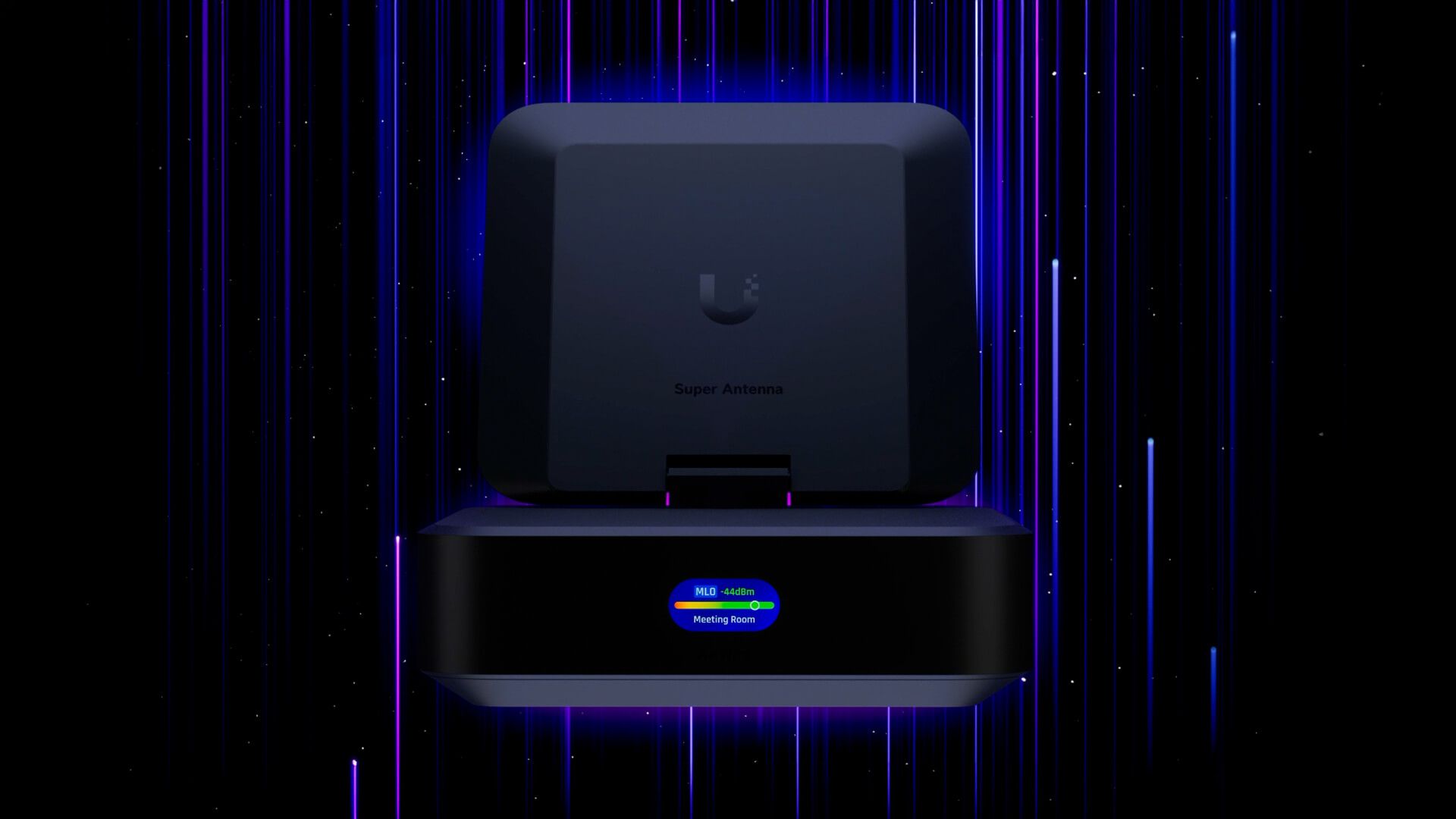
Introducing AirWire
AirWire is a USB-C WiFi 7 client with true dual-band simultaneous operation, delivering real multi-gigabit speeds, extended 6 GHz range, and seamless UniFi onboarding.

it will work fine...Your Dream Router 7 has one access point built in... i assume you know that. And your mentioned U7Mesh access point will be acting as a second AP for the home. This is a perfectly good starting point for a Unifi network.I continue to read here many positive comments about the Ubiquiti network system. Although I'm not an IT network expert, I normally can figure out what I need to do with reading "how to" manuals, etc. That said, for home WiFi and router I am considering upgrading my home network from a 9 year old Netgear Orbi router with one satellite, to a Dream Router 7 with one 'U7Mesh'. Do any of you use this setup? Specifically, does the 'U7Mesh' "mesh" with the Dream Router 7, or do I need to add a second 'U7Mesh' so that the two can connect to one another? I may also be able to use a wired access point, but right now I don't have any Ethernet cable in the room where the 'U7Mesh' will reside. Thanks!
Don't get intimidated by all the options the system gives you for fine tuning the network... it's gotten much better about basically figuring out what you have, what your environment is like, and it will get you up and running with the basics.
you sound like the type of pro-sumer that will take to Unifi well. Lots of good youtubers that explain the equipment also. AND don't be afraid to consult chatGPT or claude... it works incredibly well. It's best to use a screen capture tool where you can capture what you're seeing quickly, copying it to the clipboard, then just paste that into chatgpt and ask it to help you figure out what you need to do.
If you're on a Mac, I HIGHLY recommend Xnip screen capture tool. It is so much better than the built-in command-shift-5, and it's incredible for quicly sending something to cGPT and asking "what's up with this?" It can do scrolling screen shots super easy, so you can capture massive scrolling web pages and send it all in one image.
good luck with your setup! you'll find there's no turning back... really powerful and flexible.
I am moving away from Araknis to Unifi as well on April 20th. I am now just trying to figure if I can reset the Araknis and sell. My Araknis Router, access points, and POE switches are all rated for 1G, and I am now moving to 2G.
Switching my home network over to Unifi has been one the best things I have ever done. I still have a handful of non-unifi unmaged/"stupid" switches I still need to swap out. I went with the Cloud Gateway Fiber and it has been great. I also picked up a Unifi Travel Router which as surprisingly worked well with Unifi's Teleport VPN portal functionality. For $80 its a pretty nifty thing to have when traveling.I am moving away from Araknis to Unifi as well on April 20th. I am now just trying to figure if I can reset the Araknis and sell. My Araknis Router, access points, and POE switches are all rated for 1G, and I am now moving to 2G.