• Thanks for visiting the Kaleidescape Owners' Forum

    This forum is for the community of Kaleidescape owners, and others interested in learning about the system, equipment, services, and the company itself.

    It is run by a group of enthusiastic Kaleidescape owners and dealers purely as a service to this community.

    This board is not affiliated in any way with Kaleidescape, Inc.
    For official technical support, product information, or customer service, please visit www.kaleidescape.com

    You can dismiss this box forever by clicking the "X" in the upper right corner of this message.
  • You are currently in "Guest" mode and not logged in with a registered account.

    The forum is free to use and most of the forum can be used by guests who are not registered....

    ... but we strongly encourage you to register for a full account. There is no cost to register for a full account.

    Benefits of registering for a full account:

    • Participate in the discussions! You must have a registered account to make posts on the forums. You will be able to start your own thread on a topic or question, or you can reply to other threads/discussions.
    • Use the "Conversation" feature (known as "private messaging" on other forums) to communicate directly with any of the other users here.
    • Access the Files area. The "resources" area of the forum contains many "Favorite Scene" and Script files that can dramatically increase the enjoyment of your Kaleidescape system. Go directly to great scenes in your favorite movies, created by other owners, and add automation to playback of your system with Scripts.
    • You won't see this annoying notice at the top of every screen!😊

    It's easy and free to register for the forum. Just click the "Register" button in the upper right corner of this page, and follow the instructions there.

    This box goes away for registered users.

NEWS: Strato V Player Announced

Mike,

Thanks for the technical answers and quick reply! I always figure there are architectural limitations that aren't so obvious to us so logical to hear the reasons.

Overall I am very happy with my system after just joining last year and glad to see the ecosystem both evolving and expanding the user base. We all know this lower priced entry point will only sell servers in the future.

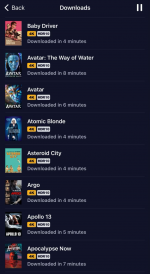
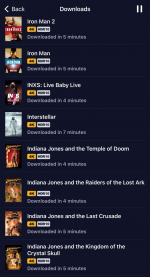
I just spent 36 hours downloading all my content to my new TP72 and at 2Gb Internet was getting pretty impressive speeds as it is so can only imagine SSD performance. Can't wait to get my new Vs to go with it!
 

Attachments

  • tempImagetJewB4.png
    tempImagetJewB4.png
    322.1 KB · Views: 24
  • tempImage9Qm5Lx.png
    tempImage9Qm5Lx.png
    375.2 KB · Views: 23
I apologize if this was answered before. Is there any benefit of the internal SSD when in Strato V + Terra Prime configuration?
I was informed on a call with K today that you unfortunately cannot even keep a small cache of titles on the V if you want to "cut the umbilical" and take the V on the road. You must do a full reset on the V every time you enter and leave the server group.

When you change the configuration from standalone to group, or the reverse, it wipes the hard drive. Not a deal-breaker for me. I got two of the V's.

I feel that it will cost me less (in storage space) to have one DV title that can be played on both my DV capable tv and non-DV projector than have a mismatched system requiring me to have duplicate formats of the same title, taking up more space and making me want to upgrade my server, which would cost way more.
 
Last edited:
You don't need to buy two copies. Your Kaleidescape store account allows you to activate up to 5 separate systems on the same account. Movies purchased from the store can be downloaded to all 5 of those systems.

However, in your case above, you don't even need to do that. Since the Strato V and Strato C are in the same household, conceivably, you'd put them on the same network. In that case, you simply group the Strato V to the same Terra you have the Strato C grouped with. All of the content on the Terra that is compatible with your Strato V would be accessible and playable in your Strato V zone and all of the content on the the Terra that is compatible with your Strato C would be accessible and playable in your Strato C zone.
We're anticipating that the vast majority of titles will be able to be updated, and this work is ongoing, with tranches of titles being added regularly. It is possible that a small number of titles may not be able to be updated.
As an example, one of the possible reasons for a title to be incompatible with Strato V would be if it is using the VC-1 codec, which the new chip in the Strato V does not support. For most of those titles, we'll be able to source mezzanine files that we can encode appropriately, and we'll do that, starting with the most popular titles. If we can't get access to a mezzanine file, then that title may not be able to be updated. We did look at possibly transcoding those files, but we don't think the attendant loss in quality is acceptable.
Another thing that I think will be important for some customers to consider is that in some cases, the updated HD versions of titles don't currently have extras, where the original version did. So if the extras are important to you, you may want to double-check before you update the HD version of a movie to ensure that there are still extras available. We are working to re-add those extras as part of this process, but ensuring that the movies themselves were available was given priority over handling the extras.
Just asking because it isn't explicitly stated: can the C play the newly transcoded HD materials? Given the update process is being used, it doesn't seem like 2 copies could live on the same system (even if split-disk.)

Also, I hope there is a warning/note in the update prompt that alerts users of extras being removed from the title if the choice is made to accept.
we deliberately kept the first release of Strato V
Well, that statement was perhaps more telling than it meant to be.
 
@MikeKobb With all of this technical talk, it got me thinking. Would it be possible for the V to accurately tone map the DV download to SDR and output it as SDR? The info that I’ve seen only mentions HDR10, so I assume that this is not possible at launch. It would be nice if a single DV download could be output as DV, HDR10, or SDR so that multiple versions don’t need to be downloaded, wasting storage space.
 
I just spent 36 hours downloading all my content to my new TP72 and at 2Gb Internet was getting pretty impressive speeds as it is so can only imagine SSD performance. Can't wait to get my new Vs to go with it!
First of all, welcome aboard! :cool: Yeah, I'm fortunate to have a Terra Prime SSD at home to test with, and I have 10Gb fiber Internet. I regularly see ~2.3Gbps download speed, which is essentially as fast as that port can go when you factor in network overhead.
 
Thanks for taking the time to make posts like this! I found this extremely informative!
I'm glad!

Just asking because it isn't explicitly stated: can the C play the newly transcoded HD materials? Given the update process is being used, it doesn't seem like 2 copies could live on the same system (even if split-disk.)
Yes, the updated HD versions are playable on all Kaleidescape players that support HD content (so, M-Class and later).

Also, I hope there is a warning/note in the update prompt that alerts users of extras being removed from the title if the choice is made to accept.
There is not, although this is something that could potentially be added in the future.
 
Also, I hope there is a warning/note in the update prompt that alerts users of extras being removed from the title if the choice is made to accept.
There is no warning. When you click on an individual title, you can view the listing and see if there are still HD Special Features available. I have only a small handful of these updates available, and all of them (now?) have Special Features exclusively available in SD. (I don't know if K has done any conversions to SD or if the titles always had SD and HD when I downloaded HD.)

Also, be aware that all of this stuff is currently happening in waves across the store. If you bought a title with HD Special Features and didn't download it, those may now be gone until they (hopefully) get updated. If you own a title on the store with HD Special Features still present, it could be that the title is already compatible or it could be that they simply haven't gotten to it yet. If Special Features are important to you, you might want to take a look through your library and download some additional titles.

It's been stated that K will be doing everything they can to convert the vast majority of titles. But, this will take time and undoubtedly there'll be some titles that can't be made compatible. Unfortunate, but to be expected given the scope of this change.

In the meantime, I highly recommend against using the Update All feature in the Strato V Readiness screen.
 
That won't work. The Terra and the Strato V have to be up and running on the same local network in order to be grouped together. For that matter, all Kaleidescape devices that you want to group together into a single system have always needed to be on the same local network. That part is not new behaviour.
Thanks for clarifying. As you can tell this will be my first Kaleidescape unit. I’ve tested quite a few in my travels as a calibrator and reviewer though, so I’m familiar with the layout, etc.

So if it’s setup as a standalone unit in a secondary location, will it still have access to the complete library to download and play on the V?
 
Thanks for clarifying. As you can tell this will be my first Kaleidescape unit. I’ve tested quite a few in my travels as a calibrator and reviewer though, so I’m familiar with the layout, etc.

So if it’s setup as a standalone unit in a secondary location, will it still have access to the complete library to download and play on the V?
Yep, a standalone Strato V will could as one of the 5 "systems" you're allowed to have associated with your Kaleidescape account, and each of those 5 systems has access to and can download the complete library of titles you own on the Kaleidescape store.
 
Thanks for the link to check compatibility of our movies with SV. My library shows 600+ incompatible movies. Is the expectation that all movies will become compatible with Strato V over time? Is the re-encoding something K can do on their own or is this something you are dependent on studios to provide them with appropriate files?
@MikeKobb , @J.Green - Bumping to bring it to your notice.
 
Thanks for the link to check compatibility of our movies with SV. My library shows 600+ incompatible movies. Is the expectation that all movies will become compatible with Strato V over time? Is the re-encoding something K can do on their own or is this something you are dependent on studios to provide them with appropriate files?
@MikeKobb , @J.Green - Bumping to bring it to your notice.
From a post by Mike earlier in the thread:
We're anticipating that the vast majority of titles will be able to be updated, and this work is ongoing, with tranches of titles being added regularly. It is possible that a small number of titles may not be able to be updated.
 
From a post by Mike earlier in the thread:
If we add a Strato v into our system and keep the existing Strato C, will K-scape automatically play the best available version for HD?

I.e my example of gravity. Let’s say I add the Strato v for all Dolby vision and upgraded re-encoded HD titles. I keep the Strato c in the system. It will play my pre-encoded (to be re-encoded) HD version of gravity with atmos. But if I take the Strato c out and have only a V, my only option is to download the SD only available version of gravity.

Correct?

In my case, it’s only 20 titles but for some others who have the example of 100-600 HD titles, I can definitely see where this question and confirmation would be relevant and more pressing….
 
If we add a Strato v into our system and keep the existing Strato C, will K-scape automatically play the best available version for HD?

I.e my example of gravity. Let’s say I add the Strato v for all Dolby vision and upgraded re-encoded HD titles. I keep the Strato c in the system. It will play my pre-encoded (to be re-encoded) HD version of gravity with atmos. But if I take the Strato c out and have only a V, my only option is to download the SD only available version of gravity.

Correct?

In my case, it’s only 20 titles but for some others who have the example of 100-600 HD titles, I can definitely see where this question and confirmation would be relevant and more pressing….
I'm not quite clear on exactly what you're asking here but I think the following addresses your concerns:

The re-encoded HD content replaces the old version rather than co-existing with it. So even in a mixed system, if you update to an HD title that was updated for "Improved player compatibility", then that download ends up replacing the old HD version you had downloaded (the one that was only playable by Strato/Strato C/Alto) with a new version that is playable by all of the players (including Strato V). So in your example above, both the Strato V and the Strato C would be playing the same movie file.

If a re-encoded HD title isn't yet available (which I think is what your citing in your Gravity example), then the Strato C would still be playing the original, incompatible HD version. Your Strato V wouldn't even show Gravity as an available title even though you have it downloaded to your system. You would -- as you point out above -- have to download the SD version of _Gravity_ in order to be able to play it on the Strato V.

If you do that, then your Strato V would automatically play the SD version and your Strato C would continue to automatically play the HD version.

I hope I've answered what you were asking but if not, please let me know if I've gone way off topic.
 
Last edited:
I'm not quite clear on exactly what you're asking here but I thing the following addresses your concerns:

The re-encoded HD content replaces the old version rather than co-existing with it. So even in a mixed system, if you update to an HD title that was updated for "Improved player compatibility", then that download ends up replacing the old HD version you had downloaded (the one that was only playable by Strato/Strato C/Alto) with a new version that is playable by all of the players (including Strato V). So in your example above, both the Strato V and the Strato C would be playing the same movie file.

If a re-encoded HD title isn't yet available (which I think is what your citing in your Gravity example), then the Strato C would still be playing the original, incompatible HD version. Your Strato V wouldn't even show Gravity as an available title even though you have it downloaded to your system. You would -- as you point out above -- have to download the SD version of _Gravity_ in order to be able to play it on the Strato V.

If you do that, then your Strato V would automatically play the SD version and your Strato C would continue to automatically play the HD version.

I hope I've answered what you were asking but if not, please let me know if I've gone way off topic.
Yes, thank you!

Net, keeping the same current HD quality of certain titles (i.e. Gravity) requires keeping a non-Strato V player in your system if that title is only available on Strato V compatibility as an SD title and you want to still continue to watch it in HD.

Again, for me not an issue with only a handful of films in that category, but for others may be more substantial and important to note......

That being said, is there a daily batch update of films? I.e. how often should we be checking the manage section on the store? once a day/once a week etc. to see if that number has gone up/down?
 
If I plug the V into my C player/server network, does the menu system on the V become the same as the C? I love the scripts I have built with scenes from movies, I don’t want to lose that.
 
If I plug the V into my C player/server network, does the menu system on the V become the same as the C? I love the scripts I have built with scenes from movies, I don’t want to lose that.
Yes. If you group your Strato V with your existing system (that has a Terra), then the full Kaleidescape interface is available on the Strato V with the following differences:
  • the OSD storefront is not yet supported on Strato V
  • the Collections place remains the horizontal rows rather than the text-based Collections place on Strato C (but all user collections will be viewable)
Also, it should be noted that Scripts are supported on Strato V in standalone mode.
 
Yes, thank you!

Net, keeping the same current HD quality of certain titles (i.e. Gravity) requires keeping a non-Strato V player in your system if that title is only available on Strato V compatibility as an SD title and you want to still continue to watch it in HD.

Again, for me not an issue with only a handful of films in that category, but for others may be more substantial and important to note......

That being said, is there a daily batch update of films? I.e. how often should we be checking the manage section on the store? once a day/once a week etc. to see if that number has gone up/down?
I really hope Gravity is released in a compatible Atmos version for the V soon.
I just added a V and replaced my C with another V. Gravity is a great film with a lot of good demo scenes. That movie is more than a movie. It's an experience.
 
Actually, there was a lot of work done on the electrical design of the new player. I've asked our hardware lead if he'd like to provide some specifics, and I'll post a follow-up if so. It's the sort of thing that will be sort of in the weeds for most consumers, which is why there aren't a bunch of marketing bullet points about it, but it was taken seriously.


I debated whether to reply to this, but I feel that there's enough here that could be confusing to readers that I have to respond. However, I do not want to derail this thread with an off-topic digression, so I'm going to address the points raised, but if there's further discussion, let's please have it on a separate thread.

Okay, diving in, with help from some of my colleagues who are more knowledgeable than I am about this stuff:

Surge said: "The best image quality with HDR content is not using tone mapping at all - i.e., using a display that can display HDR."

Within the realm of consumer HDR, this statement doesn't really make sense. SMPTE ST 2084 is the luminance standard that underlies all consumer HDR formats. It can represent values from 0.0001 nits up to 10,000 nits. There is no display on the market that can reproduce that range of brightness. That's because unlike SDR and previous transmission standards, ST 2084 was intentionally designed to exceed the capabilities of modern displays, so that you could represent video in a way that more closely approximates how light exists scientifically, and allow displays to do the best that they can to reproduce that idealized representation. That way, better displays will display a picture that is increasingly close to physical reality and director intent. Contrast this with what used to happen with earlier formats where better displays just tended to produce a more vivid/colorful/bright, but unrealistic (from a scientific standpoint) image.

That process of mapping from the idealized world of ST 2084 to what the display can actually do is called tone mapping. So, tone mapping is inherently part of the design of consumer HDR, and will be (for the foreseeable future), a critical part of any display, no matter how much you pay. You certainly can move the tone mapping out of the display and into an external processor like a Radiance Pro, but tone mapping is going to happen, always.


To the contrary, Dolby Vision brings a number of benefits to the table for real HDR on actual HDR displays.

First of all, tone mapping isn't an exact science. Since the underlying assumption in ST 2084 is that the signal cannot be exactly represented by the display, there are different approaches you could take in producing the displayed result. What Dolby Vision provides is a whole toolchain that extends from the content creator to the final tone mapping that happens in the display, including passing along metadata for each frame to help the display map the original source to what the display is capable of rendering in a way that preserves the director's intent.

There are other solutions to tone mapping that don't require this end-to-end flow and the extra metadata, and they can produce good results, but Dolby Vision gives greater control to the director and colorist to produce the desired result at the point of display.

Second, moving beyond the question of tone mapping, let's talk about color. The CE industry generally defines "HDR" as PQ (ST 2084) on top of the BT.2020 colorspace. PQ defines the luminance range, and BT.2020 defines the color area. Combined they form the color volume, a.k.a. the range of colors and intensities that can be represented. In order to display a picture digitally, we need a coordinate system to pinpoint a color/intensity within this volume. Typically, we use YUV (YCbCr) coordinates to quantize images digitally in the CE space.

The "10" in "HDR10" and "HDR10+" means that those formats are using 10 bits per component to represent those points in the color volume. This is a bit of a bummer, because YUV isn't a very uniform coordinate system from a perceptual perspective. i.e., some increments in coordinates lead to a larger perceivable change than others. It turns out that you really need 12 bits per component in YUV before the step from one arbitrary increment to the next becomes imperceptible to the average viewer. It's these perceptible steps that cause visible artifacts such as color banding in large areas of color, like the sky.

Here's where Dolby Vision comes into play. Dolby Vision Profile 5, which is what Strato V uses, employs the ICtCp coordinate system instead of YUV to represent those points within the volume. ICtCp is designed to be more perceptually uniform than YUV. In other words, coordinate increments that would've had a really small perceptual increment now make larger increments, but in exchange, coordinate increments that would've had a large perceptual increment will now have a smaller perceptual increment.

Crucially, this shifting of the coordinate system makes it such that all coordinate increments fall below the threshold of perceptibility for a typical human observer using only 10 bits of precision.

Why use 10 bits and switch to ICtCp instead of using YUV at 12 bits? Basically, because there aren't any hardware decoders available that do HEVC at 12 bits per component. So switching to ICtCp provides superior results while still fitting within the capabilities of existing HEVC hardware.

Displays, however, still use YUV, and modern ones that do Dolby Vision can accept 12-bit YUV. So after decoding, Strato V's system-on-chip converts 10-bit ICtCp, in hardware, to 12-bit YUV. The result is that you see better color with reduced visual artifacts. We've been really impressed by how great the Dolby Vision content looks on our reference displays as we've been producing the Dolby Vision versions of movies for Strato V.

[It perhaps bears mention at this point that this is one of the key differences between Dolby Vision Profile 5 and Profile 7, which is what is used on 4K Blu-ray discs. They are both seeking to solve the same problem -- how to get 12 bits of YUV precision out of a hardware decoder that has 10 bits of precision. Profile 7 takes advantage of the fact that the Blu-ray spec effectively necessitated the presence of a second, lower-resolution AVC decoder that could be run in parallel with the main decoder to support things like picture-in-picture. Profile 7 uses that second decoder to decode an "enhancement layer", which is then combined with the decoded 10-bit YUV main signal by a Dolby-designed block on the chip to produce a 12-bit YUV output signal. This clever solution allows for the main 10-bit "base layer" to be backward compatible with systems that don't support Dolby Vision, but outside of chips that are specifically designed for Blu-ray players, it makes more sense to accomplish the same task using a single stream and a single decoder. This is why, as mentioned earlier in this thread, SoC vendors don't produce chips that have the necessary hardware support for Profile 7.]

Third and finally, because of its greater perceptual uniformity, ICtCp as used in Dolby Vision Profile 5 has benefits from a compressibility standpoint. Video compressors are often designed with the assumption that all signal values are equal when making their visual error estimates and decisions during lossy compression. ICtCp better aligns with these assumptions, so the compressor is more likely to make a good decision in terms of what details of the picture it can compress away without affecting the visual perception of the quality.

Okay, well, this is a lot longer than I really wanted it to be. I hope that I've accurately communicated what my colleagues have helped me to understand, and I hope that it will prove useful.
@MikeKobb this was an amazing and thoroughly detailed response, thank you!

Looking forward to similar from the HW details when available if you post re:HDMI.

Hopefully the updates fix/mitigate EDID issues as a bonus although I believe this is more on my end running video through my AV Pro edge matrix switch vs. direct to display….
 
Back
Top