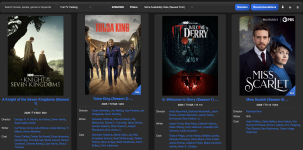
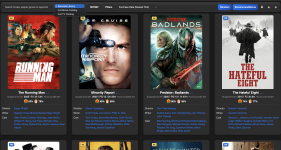
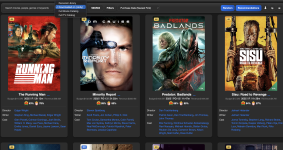
• Thanks for visiting the Kaleidescape Owners' Forum

    This forum is for the community of Kaleidescape owners, and others interested in learning about the system, equipment, services, and the company itself.

    It is run by a group of enthusiastic Kaleidescape owners and dealers purely as a service to this community.

    This board is not affiliated in any way with Kaleidescape, Inc.
    For official technical support, product information, or customer service, please visit www.kaleidescape.com

    You can dismiss this box forever by clicking the "X" in the upper right corner of this message.
  • You are currently in "Guest" mode and not logged in with a registered account.

    The forum is free to use and most of the forum can be used by guests who are not registered....

    ... but we strongly encourage you to register for a full account. There is no cost to register for a full account.

    Benefits of registering for a full account:

    • Participate in the discussions! You must have a registered account to make posts on the forums. You will be able to start your own thread on a topic or question, or you can reply to other threads/discussions.
    • Use the "Conversation" feature (known as "private messaging" on other forums) to communicate directly with any of the other users here.
    • Access the Files area. The "resources" area of the forum contains many "Favorite Scene" and Script files that can dramatically increase the enjoyment of your Kaleidescape system. Go directly to great scenes in your favorite movies, created by other owners, and add automation to playback of your system with Scripts.
    • You won't see this annoying notice at the top of every screen!😊

    It's easy and free to register for the forum. Just click the "Register" button in the upper right corner of this page, and follow the instructions there.

    This box goes away for registered users.

Popcorn Ready - Chrome extension for Kaleidescape users

OK. Was trying to leave you a nice review.
No worries! I hope to have a new version out in the next week.

Here’s what I am planning to add so far:
1. Your most recommended movies based on your library
2. Content scripts for Kaleidescape links on: rotten tomatoes, justwatch, and trakt.tv
3. support for TV shows
 
And possibly browsing/filtering/sorting/filtering the entire Kaleidescape catalog.
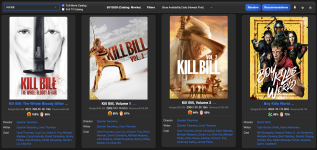
 
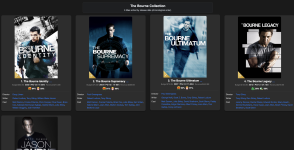
The sorting would be really cool by release date. We've got a ton of movies and sequels to watch. Easy enough if it's Top Gun, or The Matrix or The Mummy. Pirates of the Caribbean, ok, still manageable. The suddenly you have the Bourne movies. Which one was first? Bourne, Jason Bourne, The Bourne Identity, Bob Bourne (Family Reunion), Bourne Shoe-Size, The Bourne Protocol, or whatever. We won't even start on the MCU stuff.

If the list could show "here's a bunch of stuff to watch" by date, it might help. Maybe?
 
The sorting would be really cool by release date. We've got a ton of movies and sequels to watch. Easy enough if it's Top Gun, or The Matrix or The Mummy. Pirates of the Caribbean, ok, still manageable. The suddenly you have the Bourne movies. Which one was first? Bourne, Jason Bourne, The Bourne Identity, Bob Bourne (Family Reunion), Bourne Shoe-Size, The Bourne Protocol, or whatever. We won't even start on the MCU stuff.

If the list could show "here's a bunch of stuff to watch" by date, it might help. Maybe?
This is a good one. I can easily add a sort on your library (or on the full Kaleidescape catalog) by release date, but for your example it's a bit more difficult than that because you know you're looking for "Bourne movies" so you kind of need to search for "Bourne" to find those and then you'd want them sorted by release date. And yes it's even more difficult when the titles of the movies are unique. However, I'm looking at the TMDB API and they have a field called "Belongs to Collection". I just tested Bourne Identity and it shows it belongs to a collection. Then I queried that collection ID and it has them all in order. I'll figure out how to get this implemented in the UI. Thanks for the idea!
 
This is a good one. I can easily add a sort on your library (or on the full Kaleidescape catalog) by release date, but for your example it's a bit more difficult than that because you know you're looking for "Bourne movies" so you kind of need to search for "Bourne" to find those and then you'd want them sorted by release date. And yes it's even more difficult when the titles of the movies are unique. However, I'm looking at the TMDB API and they have a field called "Belongs to Collection". I just tested Bourne Identity and it shows it belongs to a collection. Then I queried that collection ID and it has them all in order. I'll figure out how to get this implemented in the UI. Thanks for the idea!
I get that, and totally cool if it's not perfect. even if I see all of the movie covers in release date order, that solves the problem because I'm pretty good at recognizing Spiderman (for example). Also, dude, let me donate some funds or buy you a coffee or something.
 
I get that, and totally cool if it's not perfect. even if I see all of the movie covers in release date order, that solves the problem because I'm pretty good at recognizing Spiderman (for example). Also, dude, let me donate some funds or buy you a coffee or something.
Appreciate the offer, but I’m just interested in making something useful for the community. The enhancement ideas are the best sort of payment.
 
I get that, and totally cool if it's not perfect. even if I see all of the movie covers in release date order, that solves the problem because I'm pretty good at recognizing Spiderman (for example). Also, dude, let me donate some funds or buy you a coffee or something.
1771993910972.png
 
  • Like
Reactions: Woo
Popcorn Ready v1.2 is now submitted and rolling out once approved (this could take hours to a few days).

This is a major update focused on better discovery, better catalog coverage, and smarter upgrade visibility.

What’s new in v1.2

- Full Catalog browsing:
You can now switch between Personal Library, Full Movie Catalog, and Full TV Catalog directly in the main UI.

- TV catalog support:
The extension now handles both movies and TV data paths more robustly

- External site integration:
Added “Watch on Kaleidescape”/store-link integration on Rotten Tomatoes, JustWatch, and Trakt title pages when a catalog match is found.

- Collections and TV Seasons pages:
New collection/series drill-in pages let you open franchise parts and multi-season TV groupings in chronological/organized views.

- Ownership + quality upgrade cues:
Cards now show richer ownership/quality badges and can highlight when a higher quality version is available in store.

- Top recommendations mode:
New recommendations view can rank titles by how often TMDB recommends them across your current library.

- Smarter catalog refresh behavior:
Added periodic background refresh checks with ETag + TTL logic for fresher data and fewer unnecessary downloads.

Quality and stability improvements

- Better duplicate handling when multiple package variants exist (prefers better quality/enriched data).
- Improved title matching heuristics for external pages
- Improved sorting behavior when switching data sources (purchase-date vs store-availability context).

Notes

- v1.1 legacy data pipeline is still running during migration.
- After all users move to v1.2, legacy jobs/files will be retired.
 
v1.2 of Popcorn Ready got approved by Google so your Chrome extension should update on it's own in the near future with all of the latest features. Please let me know if you notice any issues once you get upgraded. I hope you enjoy it! Thanks!

1772122308255.png
 
The ability to export this information into an Excel spreadsheet via a CSV file is a dream come true. Any way to add Aspect Ratio to downloadable data? Sometimes you just want to fill the full screen with something wonderful. :)
 
The ability to export this information into an Excel spreadsheet via a CSV file is a dream come true. Any way to add Aspect Ratio to downloadable data? Sometimes you just want to fill the full screen with something wonderful. :)
I don't think I have a perfectly reliable source for the aspect ratio in Kaleidescape. You have to go into the detail page of each movie to see it (which I'm not currently doing) and even there it's not really always correct. It's definitely technically possible to retrieve the aspect ratio that Kaleidescape lists though...
 

From that recent post from @thrillcat you will see the limitations of the Aspect Ratio data shown in Kaleidescape. You would really need the listed aspect as well as the trim value for each title to get it correct. Then, there's potentially variable aspect ratios on top of that.
 
Had a user request to show which movies/tv seasons are currently downloaded on your system(s). Am waiting for that user to confirm that the enhancement works on an account with multiple systems (mine is only one system) and then if it works fine I'll push that enhancement out tomorrow.

It's just going to be in the selection list where you can now choose whether you're viewing your Personal Library, Downloaded on System 1 Name, Downloaded on System 2 Name....., Full Movie Catalog, or Full TV Catalog
1772143400376.png
 
Popcorn Ready v1.2.1 has been submitted to the Chrome Web Store and your extension will automatically upgrade soon after it has been approved.

What’s new:

  • Added a new library source filter to view downloaded movies with support for multi-system owners:
    • Downloaded on (System Name) options now appear in the main source dropdown.
  • You can now quickly view only the titles downloaded to a specific Kaleidescape system.
  • Existing views still remain:
    • Personal Library
    • Full Movie Catalog
    • Full TV Catalog
Thanks to everyone for your feedback!
 
Not seeing it specifically mentioned, but is the [new version of the] plugin Costar-friendly or does it have trouble bridging the conjoined libraries?
From that recent post from @thrillcat you will see the limitations of the Aspect Ratio data shown in Kaleidescape. You would really need the listed aspect as well as the trim value for each title to get it correct. Then, there's potentially variable aspect ratios on top of that.
Couldn't it be pulled from the external source (TMDB, or whatever?)
 
Not seeing it specifically mentioned, but is the [new version of the] plugin Costar-friendly or does it have trouble bridging the conjoined libraries?

Couldn't it be pulled from the external source (TMDB, or whatever?)
I don't really know much about Costar or how it works, but for this plugin for your Personal Library you'll see what you would see in your "My Movies" page on the Kaleidescape movie store website.

For aspect ratios, TMDB doesn't list aspect ratios either. One of the problems is that each release such as theatrical, 4K physical, blu-ray, DVD, streaming, future releases could all theoretically have different aspect ratios.

Really, what I would want here in this application, is the aspect ratio that Kaleidescape offers...which even there could be different for different quality levels like HD vs 4K. It's possible to get the aspect ratio that they list by digging into the details of each title, but I think it's best to wait until after Kaleidescape improves the accuracy of what the list on the website. Right now it may show 1.85 but really it is 2.0.
 
I may be able to get aspect ratios from IMDB but not really sure what percentage will match exactly what Kaleidescape really has? I'll give it a shot to test.
 
Back
Top