• Thanks for visiting the Kaleidescape Owners' Forum

    This forum is for the community of Kaleidescape owners, and others interested in learning about the system, equipment, services, and the company itself.

    It is run by a group of enthusiastic Kaleidescape owners and dealers purely as a service to this community.

    This board is not affiliated in any way with Kaleidescape, Inc.
    For official technical support, product information, or customer service, please visit www.kaleidescape.com

    You can dismiss this box forever by clicking the "X" in the upper right corner of this message.
  • You are currently in "Guest" mode and not logged in with a registered account.

    The forum is free to use and most of the forum can be used by guests who are not registered....

    ... but we strongly encourage you to register for a full account. There is no cost to register for a full account.

    Benefits of registering for a full account:

    • Participate in the discussions! You must have a registered account to make posts on the forums. You will be able to start your own thread on a topic or question, or you can reply to other threads/discussions.
    • Use the "Conversation" feature (known as "private messaging" on other forums) to communicate directly with any of the other users here.
    • Access the Files area. The "resources" area of the forum contains many "Favorite Scene" and Script files that can dramatically increase the enjoyment of your Kaleidescape system. Go directly to great scenes in your favorite movies, created by other owners, and add automation to playback of your system with Scripts.
    • You won't see this annoying notice at the top of every screen!😊

    It's easy and free to register for the forum. Just click the "Register" button in the upper right corner of this page, and follow the instructions there.

    This box goes away for registered users.

Popcorn Ready app for iOS

Amazing App, thankyou!

I think KS have really dropped the ball with management/download tools with the introduction of Cinematic, it's a complete mess and there's no easy way to set things up to only download what you want and get rid of what you don't. When added to the fact it then thinks C_DV is an 'upgrade' even when that's not the preference.

I now have Strato K for the Cinema (JVC NZ800) for which I want C_HDR10 if available, C_DV if not, then C_SDR as last resort (for non C I want, HDR10>DV>4KSDR).

I also have Strato E, so that's set to prefer 4KDV. Was thinking I might put the Strato C in another room, but I'm not sure I can be bothered with having to also have 4KHDR10 or lower for that too!

What it really needs is an extension to the Movies tab of the System that let you find films by quality type easily see other formats available - the preferences didn't seem to work for an hour or so after they were set, so I got a load of C_DV downloaded, but of course finding out which ones are there because it was a mistake and which are there because there's no C_HDR10 is pretty much impossible.
The new download preferences Kaleidescape released were a big improvement for me. But there still could be some room for improvement.

I've tried to think in terms of "Tools" when adding some features to Popcorn Ready that Kaleidescape doesn't support. The tool to Upgrade Existing titles from the app is a good example which handles your last paragraph well and then there's a tool to remove the old secondary versions when done. And I also added filters to see the exact formats you have downloaded if you want to handle things individually instead of through the tools.
 
Great app!
I am installing a new Prime server and would like to do a clean install of my movies: I am told there is a ‘download all’ option somewhere: can someone tell me where to find it?
Is it in this app or just the K app?
I just added Download All tool in build 97. Thanks for the feedback.
 
Yep, I used the Upgrade Existing tool, which saved me a ton of time but unfortunately not before I'd already downloaded some wrong C_DV ones. It's odd that KS haven't thought about this sort of tool.
 
Ok here is one more;
Add an ‘Intermission’ button to play screen
 
Ok here is one more;
Add an ‘Intermission’ button to play screen
Hmmm, is that something that you use to turn lights up with a control system? Does Kaleidescape app support it? I will research when I get a chance…thanks!
 
K supports it: it is similar to ‘pause’ but it throws cover art on the screen
 
Last edited:
K supports it: it is similar to ‘pause’ but it throws cover art on the screen
In build 98, I just added an Intermission Toggle in the Now Playing screen as well as the Remote. I'll be away from my theater most of the day so I haven't been able to test it yet, so please let me know how it works if you have a chance to try it out. Thanks!
 
There’s quite a bit new in build 158 since the last build I shared here, 107. The biggest additions are ways to find your next movie, Siri support, and improved browsing on iPad and Mac.

  • Movie recommendations: “Recommended for You” helps you rediscover movies in your Library or find movies to buy based on your collection. Pick up to three movies as inspiration, or explore “Similar Movies” from a movie’s details. Results include explanations of the connections.
  • More control over your picks: Choose from 24 moods, combine up to two, set a runtime limit, and select a minimum picture quality. You can emphasize shared filmmakers, actors, themes, genres, or studios, refine the results, and revisit previous picks.
  • Personal recommendation preferences: Adjust how much recommendations consider directors, writers, actors, story, genres, studios, ratings, and release era. Preview the effect before saving. Recommendations are calculated on your device and don’t require Apple Intelligence or a new account.
  • Library Match: For movies you don’t own, see how closely they fit your collection, with related examples from your Library. This measures similarity to your collection rather than predicting how much you’ll enjoy a movie.
  • Siri, Shortcuts, and Spotlight: Search your Library, open movie details, request three movie suggestions, and start playback. You can also choose your system and player through Siri or Shortcuts. Try “Siri, Popcorn Ready for The Princess Bride.” Playback uses your last-used system and player and starts from the beginning; you’ll still choose a quality when needed. Normal in-app playback keeps its Resume/Start choices. Siri recognition is still an area where feedback would be especially useful.
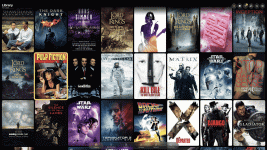
  • Side-by-side browsing on iPad and Mac: In wider windows, movie details open alongside the poster wall. You can expand details or close them to return to the full wall. Poster sizing, transitions, artwork, and readability have also been refined.
  • Navigation improvements: Swipe back from movie details, use landscape on iPhone, and enjoy improved Mac keyboard navigation—including Return/Escape behavior and recovery after switching apps.
  • Performance and reliability: Improved poster loading throughout browsing, recommendations, and downloads; faster handling of large libraries; fixes for Mac search crashes; and better recovery from temporary Movie Store connection problems.
  • Download Manager recovery: Storage information now catches up when you wake your player using its physical remote.
The app continues to support iOS/iPadOS 26 and later.

I’d especially appreciate feedback on recommendation relevance, Siri playback, iPad/Mac browsing, and anything that behaves differently from build 107. Please include your device, OS version, and the steps that led to the issue.
 
Macbook is my favorite way to use the app. The GIF above shows how you can use your arrow keys to navigate the full screen movie wall and then click enter to see the details of that movie in split screen mode, hit enter again to go to full screen movie details, hit escape to go back to split screen, and hit escape to exit split screen back to the full screen wall.

A few other fun things to try out in this version are deeper iOS integration with Spotlight search and Siri support.
 
I love the app and use it on a 16" MacBook as well, almost exclusively. I feel like I'd like a size that is between the small and medium - 10 movies across the top. It's just a feeling.

I like the idea of the movie recommendations, but scrolling through my library to choose movies wasn't super appealing to me. I think it'd be interesting to see the recommendations with just the mood and make the movie choices optional.

The side-by-side viewing is chef's kiss. Great addition on the big screen.
 
Or maybe if you were to choose "funny" when you go to select movies, it only shows the comedies in your library so you aren't scrolling through a bunch of irrelevant movies.
 
Or maybe if you were to choose "funny" when you go to select movies, it only shows the comedies in your library so you aren't scrolling through a bunch of irrelevant movies.
You can also type to search through library movies for those library recommendations. A few other ways into the same type of feature are if you go into recommendations from the catalog page it uses your full library by default. Also, if you just select one movie from the wall and then click the button you'll get movies that are similar.

But point taken...the movie selection could also be optional on the library recommendations. Thanks!
 
You can also type to search through library movies for those library recommendations. A few other ways into the same type of feature are if you go into recommendations from the catalog page it uses your full library by default. Also, if you just select one movie from the wall and then click the button you'll get movies that are similar.

But point taken...the movie selection could also be optional on the library recommendations. Thanks!
The bolded part is exactly what I am thinking. That is great, and glad it is already in there. Thanks for all the work on this application. It is great.
 
I actually tried using a combination of the iOS 27 on device models and also Apple's Private Cloud Compute for a larger LLM model to help with recommendations. But in the end, it wasn't any better than what I could do deterministically using all of the metadata that I have for each movie and using the LLMs added about 5 seconds.

I may play around with Jev to see if a classification/scoring model works better than this for recommendations, but I haven't run those experiments yet. One thing that would help the current recommendation system as well as any potential scoring AI would be movie ratings. Because library ownership doesn't really tell me if you really enjoy a movie. I'm not sure if I would incorporate ratings right into Popcorn Ready or if I'd allow importing ratings from IMDb or elsewhere.
 
Spent only a few minutes so far, but looks great ! I notice that you cannot choose TV shows to generate recommendations, only movies. But, since TV shows are included in the library, can you add TV shows to generate recommendations?
 
Spent only a few minutes so far, but looks great ! I notice that you cannot choose TV shows to generate recommendations, only movies. But, since TV shows are included in the library, can you add TV shows to generate recommendations?
I haven't looked into TV show recommendations yet...I think I would have to tweak the criteria and scoring since cast/crew can change by season. I'll have to research if I have all of the other metadata for TV shows. So, I can possibly get this added soon for TV.

Let me know how well you think the movie recommendations work. And you can tweak the formula for recommendations in settings.
 
I love the app and use it on a 16" MacBook as well, almost exclusively. I feel like I'd like a size that is between the small and medium - 10 movies across the top. It's just a feeling.
I had a bug to fix on split screen for the Large layout so I also tweaked the Large layout so that on my MacBook Pro 16" it went from 4 wide up to 6 wide and I also tweaked the default Medium layout so that it went from 8 wide to 9 wide. I left the Small layout at 12 wide. I think this feels pretty reasonable.

Then in all cases, when you go to split screen the posters shrink some on the half width movie wall on the left.

Anyways, that's in build 159 that I just pushed.
 
Build 160 adds a sort by file size (largest first) to the remove section of download manager. Thanks to @Sasquatch @andy and @Roobot for this idea. It is useful for me as I'm limited on storage so I'm always looking for something to delete off the server.
 
Back
Top