Hello everyone. We have started the rollout of kOS
10.23.0-26436.
In this release, we have implemented the new row-based collections view for all Strato players, improved collections navigation, added HDMI CEC control, and more.
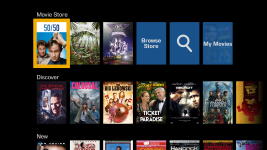
Strato: Row-Based Collections View
Row collections are now enabled by default on all Strato players, providing a modern, row-based collections view. The classic collections view remains available as an option on Strato 2U, S, and C.
Alto only supports the classic collections view.
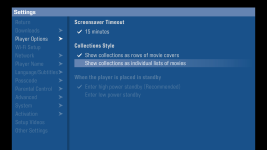
To revert to the classic collections view, navigate to Player Options in the System Settings menu of your onscreen display. The row-based collections view cannot be turned off for Strato V, E, and M. Note that your player will reboot in order to apply the change.
 Strato: Improved Collections Navigation
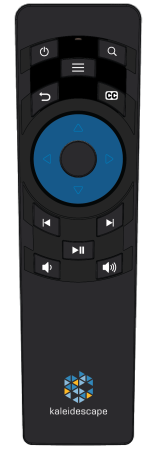
Chapter skip navigation is now mapped to jump forward and back within the current row, making it easier to browse large collections.
New actions for row collections (rename, delete, etc.) are available, with improved visual design. Various navigation and animation improvements were made, including better back button behavior and smoother transitions when navigating out of set views on the store.
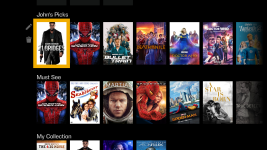
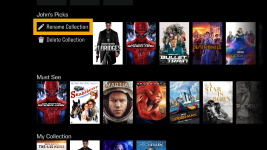
The “Watch Soon” collection is now promoted above user collections for easier access.
HDMI CEC and Compliance (Strato V, E, and M)
We have added HDMI CEC for Strato V, E, and M players, allowing the Kaleidescape remote to control volume and toggle power of the connected AVR or display.
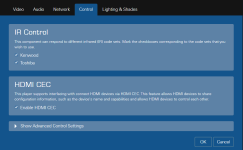
HDMI CEC is not enabled by default. To enable HDMI CEC, go to the Browser Interface, navigate to Settings, Components, and then select the Settings button beneath the player you want to enable. In the pop-up window, select the Control tab and check the Enable HDMI CEC box.
 Performance Improvements and Fixes
We have made several behind-the-scenes improvements to enhance performance, including:
- Usability improvements for Strato/Terra devices
- Bug fixes