Thanks for responding.
I am using Testflight
Popcorn Ready version :
0.9.0 (98)
On an iPhone 13 with iOS 18.7.8
(I thought I was on iOS 26, but I was mistaken)
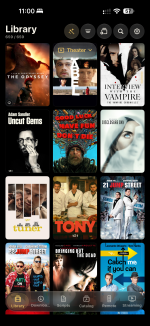
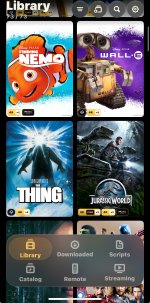
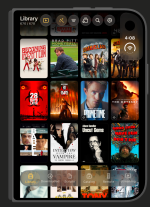
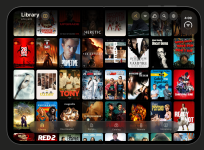
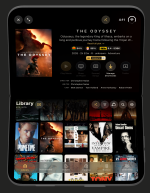
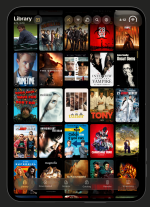
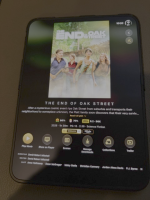
This is what my library screen looks like:
View attachment 12369
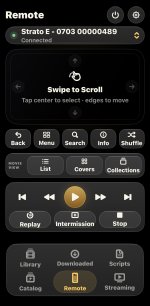
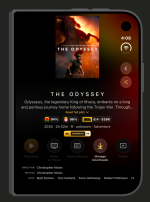
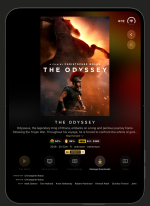
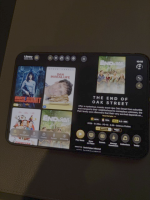
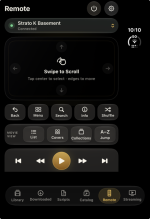
And remote screen:
View attachment 12367
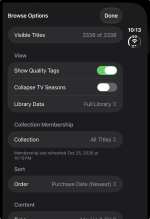
There are no options in any of the menus to change the look of the library or catalogue screen.. no adjustments for cover sizes or to choose a list view.
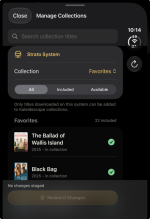
I think somewhere earlier in the thread you mentioned there was some thing to do with download functionality as well on the app? If so, I’m not seeing that anywhere either.
Mostly, I’m missing lots of functionality from the Kscape app in this version of the Popcorn app (for instance, purchasing movies downloading movies managing downloads, the convenient categories in the Kscape store eg new, special pricing, etc…. Whereas the catalogue feature on the popcorn app just floods the screen with all the movies, and the movie covers are so large that it takes even longer to scroll through them.