• Thanks for visiting the Kaleidescape Owners' Forum

    This forum is for the community of Kaleidescape owners, and others interested in learning about the system, equipment, services, and the company itself.

    It is run by a group of enthusiastic Kaleidescape owners and dealers purely as a service to this community.

    This board is not affiliated in any way with Kaleidescape, Inc.
    For official technical support, product information, or customer service, please visit www.kaleidescape.com

    You can dismiss this box forever by clicking the "X" in the upper right corner of this message.
  • You are currently in "Guest" mode and not logged in with a registered account.

    The forum is free to use and most of the forum can be used by guests who are not registered....

    ... but we strongly encourage you to register for a full account. There is no cost to register for a full account.

    Benefits of registering for a full account:

    • Participate in the discussions! You must have a registered account to make posts on the forums. You will be able to start your own thread on a topic or question, or you can reply to other threads/discussions.
    • Use the "Conversation" feature (known as "private messaging" on other forums) to communicate directly with any of the other users here.
    • Access the Files area. The "resources" area of the forum contains many "Favorite Scene" and Script files that can dramatically increase the enjoyment of your Kaleidescape system. Go directly to great scenes in your favorite movies, created by other owners, and add automation to playback of your system with Scripts.
    • You won't see this annoying notice at the top of every screen!😊

    It's easy and free to register for the forum. Just click the "Register" button in the upper right corner of this page, and follow the instructions there.

    This box goes away for registered users.

Strato V: UI resolution limited to 1080, not 4k!

Pure speculation on my part, as it's honestly hard to tell without test patterns, but given the age of the prior chip, I have a feeling the biggest improvement was probably in chroma upsampling. Early generation 4K chips often used nearest-neighbor chroma upsampling (I.E. the Oppo UDP-203), which made upsampling fine chroma detail somewhat blocky. Newer ones are using bilinear scaling or some type of filtered chroma upsampling, which results in smoother chroma fine detail. In real world content it's fairly hard to tell a difference in most cases TBH, but it can result in some fine detail improvements.
I also agree with this.

Two other small things of note. In advanced settings, Strato C default was minimize display mode changes, vs. Strato V default of Allow Display Mode Changes (assume most people are using this setting anyways and/or allow display mode changes with external scaler if using MadVR or Lumagen etc.). Any reasoning behind this change, or purely for the non-projector display crowd @MikeKobb ?

Second (and I think this is the first time it's happened), K-Scape included an HDMI cable with the Strato V. I realize this is a head scratcher to some but I was one person who went through a ton of good cables (Zeskit Maya, BulletTrain, Ruipro etc.) before settling on Ruipro fiber optic because it had the least amount of issues with K-Scape integration and playback/handshake etc.

That being said, I have had Zero issues with the THX included HDMI cable with the Strato V and assume this is either being added to the recommended cables list and or the new standard? Regardless, it was nice to have this now be a non-issue (fingers crossed) right out of the box....... for those who have gone down the optimal HDMI cable path like me, you know exactly what I'm talking about and what a relief this is if you are also seeing the same positive impact!
 
I also agree with this.

Two other small things of note. In advanced settings, Strato C default was minimize display mode changes, vs. Strato V default of Allow Display Mode Changes (assume most people are using this setting anyways and/or allow display mode changes with external scaler if using MadVR or Lumagen etc.). Any reasoning behind this change, or purely for the non-projector display crowd @MikeKobb ?

Second (and I think this is the first time it's happened), K-Scape included an HDMI cable with the Strato V. I realize this is a head scratcher to some but I was one person who went through a ton of good cables (Zeskit Maya, BulletTrain, Ruipro etc.) before settling on Ruipro fiber optic because it had the least amount of issues with K-Scape integration and playback/handshake etc.

That being said, I have had Zero issues with the THX included HDMI cable with the Strato V and assume this is either being added to the recommended cables list and or the new standard? Regardless, it was nice to have this now be a non-issue (fingers crossed) right out of the box....... for those who have gone down the optimal HDMI cable path like me, you know exactly what I'm talking about and what a relief this is if you are also seeing the same positive impact!
I received a PixelGen HDMI with my Strato C a couple years ago, so definitely not something new. (PixelGen is the manufacturer of the THX cables). I’ve since switched out all cables in my system to PixelGen and have had zero issues with any of them.
 
Just to confirm a topic that went by a little quick...

The Strato C can produce a 4K (SDR) native user interface.
The Strato V is limited to a (hardware upscaled) 1080p user interface.
This limit is due to the chip running the Strato V, is not software related, and is not expected to change.

I'd love to see someone like Jaremy @Techthusiasm do a little comparison video of this, if he hasn't already packed up and shipped out his C. :)
 
Just to confirm a topic that went by a little quick...

The Strato C can produce a 4K (SDR) native user interface.
The Strato V is limited to a (hardware upscaled) 1080p user interface.
This limit is due to the chip running the Strato V, is not software related, and is not expected to change.

I'd love to see someone like Jaremy @Techthusiasm do a little comparison video of this, if he hasn't already packed up and shipped out his C. :)
This is noticeable on my projector setup, maybe the only thing I am not happy with so far moving from C to V. Looking into scripts now, didn’t see the spot to launch them on V last night.
 
Just to confirm a topic that went by a little quick...

The Strato C can produce a 4K (SDR) native user interface.
The Strato V is limited to a (hardware upscaled) 1080p user interface.
This limit is due to the chip running the Strato V, is not software related, and is not expected to change.

I'd love to see someone like Jaremy @Techthusiasm do a little comparison video of this, if he hasn't already packed up and shipped out his C. :)
My C is, actually, in transit to a new owner, so I won't be able to do a direct A/B now since also learning this.

I was surprised to read the info about the UI being native 1080p on the V. I'm a big fan of usable and great looking UIs, and when I saw HDMI 2.1 on the spec sheet, I immediately thought "it'll be awesome to have a 4K 4:4:4 60 Hz UI". I'd also like to see an HDR mode for the UI too in order to have a better chance at minimizing long black screens between UI and content on a projector.

Engineering always comes with trade-offs, so I'm sure the 1080p UI and 18 Gbps HDMI port exist for a reason. While it's a technical "bummer", it probably won't make any difference in regular use.
 
My C is, actually, in transit to a new owner, so I won't be able to do a direct A/B now since also learning this.

I was surprised to read the info about the UI being native 1080p on the V. I'm a big fan of usable and great looking UIs, and when I saw HDMI 2.1 on the spec sheet, I immediately thought "it'll be awesome to have a 4K 4:4:4 60 Hz UI". I'd also like to see an HDR mode for the UI too in order to have a better chance at minimizing long black screens between UI and content on a projector.

Engineering always comes with trade-offs, so I'm sure the 1080p UI and 18 Gbps HDMI port exist for a reason. While it's a technical "bummer", it probably won't make any difference in regular use.
At least for me setting it to "minimize display mode changes" does result in the UI being output in HDR mode. That being said, it obviously also turns off frame rate matching, but most content on the K store is 23.976fps, and a lot of displays (unsure about projectors TBH), can retrieve the proper 23.976fps cadence from a 59.94Hz refresh rate using reverse 3:2 pulldown, so in a lot of cases frame rate matching isn't super important. If you watch a lot of exact 24fps or 25fps content (both of which seems fairly rare on the K store from what I've seen), then locking the UI to 59.94Hz may be a bigger issue.
 
Just to confirm a topic that went by a little quick...

The Strato C can produce a 4K (SDR) native user interface.
The Strato V is limited to a (hardware upscaled) 1080p user interface.
This limit is due to the chip running the Strato V, is not software related, and is not expected to change.

I'd love to see someone like Jaremy @Techthusiasm do a little comparison video of this, if he hasn't already packed up and shipped out his C. :)
I'll try to grab some direct HDMI screen captures to show the UI differences.

My guess is the SDK for the chipset they are using just defaults the graphics pipeline to 1080p (like Mike mentioned), but can probably have 4K support enabled if they want it to. Whether they are willing to based on a very probable performance hit is another question. A lot of Android TV/Google TV and Fire TV devices use similar (if not the same) chipsets (very probably at least, although I haven't torn down the Strato V to confirm, and won't be, but there aren't too many modern-day chipsets used for these kinds of media devices, and they definitely aren't using an x86-64 chipset like a PC chip), and also default to 1080p rendering for their UI. They can however have 4K enabled, just at a performance hit mentioned above. Android TV gained native 4K UI support in Android 12 (release November 2021), but I haven't seen any streamers actually use it yet.

The first android-based device I've seen that uses a similar class chipset and has 4K UI support, is the just released, but not actually shipping yet 8K Zidoo devices, with the Amlogic S928X chipset, and even they opt to default to 1080p, but allow you to enable 4K at a performance hit.

All of that being said, it boils down to, I'm sure it's technically possible to enable it, but they probably weren't happy with the performance the chipset was providing with a 4K UI. Maybe they can spend some time optimizing their UI code in the future, and turn it on at some point, but I imagine it's not a priority.

Also, I will note, that despite being 1080p, it looks quite a bit better than a lot of Android streamers do. I think it looks fairly good for being 1080p, probably as a result of improved upscaling, and the UI elements being fairly simple altogether.

Regardless, the much bigger issue for me at the moment is the over sharpening/edge enhancement that is being applied to all content at the moment, it looks fairly bad to my eyes IMO. Hope they can fix it quickly.
 
My guess is the SDK for the chipset they are using just defaults the graphics pipeline to 1080p (like Mike mentioned), but can probably have 4K support enabled if they want it to.
If it had been possible to reasonably enable 4K for the OSD plane, we would have definitely done so. As it stands, it’s not supported by the SoC firmware, and I’m not aware of any intention by the chip builder to add it, or if it’s even possible for them to add it while delivering acceptable performance. Despite this limitation, of the available SoCs that we evaluated, this one was definitely the best option for multiple reasons.
 
If it had been possible to reasonably enable 4K for the OSD plane, we would have definitely done so. As it stands, it’s not supported by the SoC firmware, and I’m not aware of any intention by the chip builder to add it, or if it’s even possible for them to add it while delivering acceptable performance. Despite this limitation, of the available SoCs that we evaluated, this one was definitely the best option for multiple reasons.
Apologies, didn't mean to insinuate otherwise, I know a lot of these chips don't handle 4K UI well at all, and I have no doubt y'all chose the best one for the Strato V's use case.
 
I'll try to grab some direct HDMI screen captures to show the UI differences.
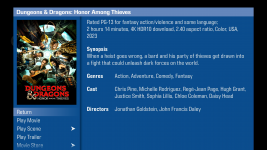
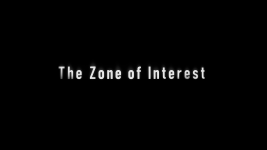
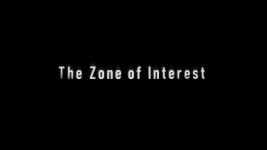
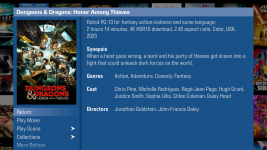
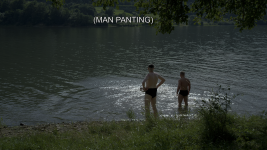
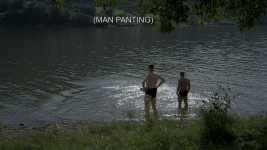
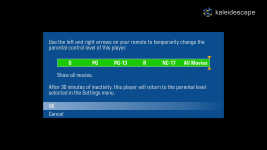
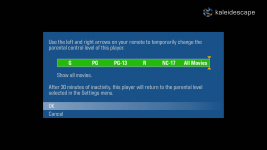
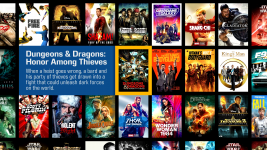
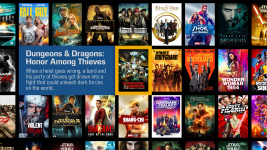
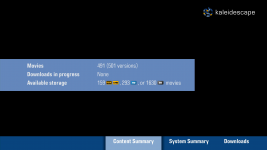
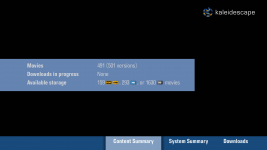
For those interested, here are some near-lossless screen grabs comparing the Strato V and the Strato C, showing both the UI output (to show the UI rendering difference), as well as some screen grabs from a movie (Zone of Interest) on both, showing the sharpening/edge enhancement issue.

In all honesty, for a 1080p upscaled UI the Strato V does still look pretty great.

These were captured from a ProRes recording of the HDMI outputs (which does introduce a small amount of compression loss, but far far less than most other video formats), and then lossless pngs were extracted from that ProRes recording.

More images on my next post, since I can only do 10 per post.

@LoveCinema
 

Attachments

  • 1. Strato C - Movie Details.png
    1. Strato C - Movie Details.png
    2.9 MB · Views: 144
  • 5. Strato V - Movie Screen Grabs - Zone of Interest - 4.png
    5. Strato V - Movie Screen Grabs - Zone of Interest - 4.png
    340.5 KB · Views: 125
  • 5. Strato C - Movie Screen Grabs - Zone of Interest - 4.png
    5. Strato C - Movie Screen Grabs - Zone of Interest - 4.png
    333.3 KB · Views: 100
  • 4. Strato V - Movie Screen Grabs - Zone of Interest - 3.png
    4. Strato V - Movie Screen Grabs - Zone of Interest - 3.png
    490.8 KB · Views: 102
  • 4. Strato C - Movie Screen Grabs - Zone of Interest - 3.png
    4. Strato C - Movie Screen Grabs - Zone of Interest - 3.png
    790 KB · Views: 119
  • 3. Strato V - Movie Screen Grabs - Zone of Interest - 2.png
    3. Strato V - Movie Screen Grabs - Zone of Interest - 2.png
    267.3 KB · Views: 117
  • 3. Strato C - Movie Screen Grabs - Zone of Interest - 2.png
    3. Strato C - Movie Screen Grabs - Zone of Interest - 2.png
    267.2 KB · Views: 112
  • 2. Strato V - Movie Screen Grabs - Zone of Interest - 1.png
    2. Strato V - Movie Screen Grabs - Zone of Interest - 1.png
    206.5 KB · Views: 118
  • 2. Strato C - Movie Screen Grabs - Zone of Interest - 1.png
    2. Strato C - Movie Screen Grabs - Zone of Interest - 1.png
    234.8 KB · Views: 118
  • 1. Strato V - Movie Details.png
    1. Strato V - Movie Details.png
    4.1 MB · Views: 137
Rest of screen captures.
 

Attachments

  • 6. Strato C - Movie Screen Grabs - Zone of Interest - 5.png
    6. Strato C - Movie Screen Grabs - Zone of Interest - 5.png
    10.5 MB · Views: 118
  • 6. Strato V - Movie Screen Grabs - Zone of Interest - 5.png
    6. Strato V - Movie Screen Grabs - Zone of Interest - 5.png
    11 MB · Views: 125
  • 7. Strato C - Parental Controls Menu.png
    7. Strato C - Parental Controls Menu.png
    638.1 KB · Views: 118
  • 7. Strato V - Parental Controls Menu.png
    7. Strato V - Parental Controls Menu.png
    726.7 KB · Views: 127
  • 8. Strato C - Poster Wall.png
    8. Strato C - Poster Wall.png
    10.5 MB · Views: 122
  • 8. Strato V - Poster Wall.png
    8. Strato V - Poster Wall.png
    9.5 MB · Views: 121
  • 9. Strato C - Settings Menu.png
    9. Strato C - Settings Menu.png
    428.4 KB · Views: 123
  • 9. Strato V - Settings Menu.png
    9. Strato V - Settings Menu.png
    546 KB · Views: 117
Apologies, didn't mean to insinuate otherwise, I know a lot of these chips don't handle 4K UI well at all, and I have no doubt y'all chose the best one for the Strato V's use case.
No apologies necessary. I just wanted to be on record with an answer. Folks who haven’t been through the design & development process for a product like this are often unaware of the sort of tradeoffs that are necessary when you’re choosing components to go into the product, so it’s easy to assume that certain things were affirmative choices rather than being driven by the capabilities of the best-available component. I thought that perspective would be useful to have here for others who are reading.
 
Presumably this means that captions/subtitles and the UI overlay panels that pop up over the 4K video content are also rendered in 1080p and upscaled... probably not very noticeable, just wanted to ask for completeness.
 
Last edited:
Presumably this means that captions/subtitles and the UI overlay panels that pop up over the 4K video content are also rendered in 1080p and upscaled... probably not very noticeable, just wanted to ask for completeness.
Both the UI overlay during content and the subtitles are 1080p. That being said, the subtitles are 1080p on older models too, because (from what I can tell, but this is an assumption) they are image-based pgs subtitles, and are being stored at 1080p, just like with UHD blu-ray, so there is no difference between the Strato C and Strato V with regards to subtitle text clarity.
 
I tried out the “minimize display mode changes” option last night. While the Ui looked sharp and HDR radiant, I noticed 2 green and 1 yellow indicators under video capabilities and status. So this equates to a slightly compromised viewing condition.

All blue indicators (which is the ideal situation) only appeared with the default “allow display mode changes” option. So for my specific use case I will continue to roll with the default option and shall accept the slightly dull appearance on the Ui, as a minor trade off. Of course Ymmv.
 
The green ones are not necessarily bad. Just to pick a random example, converting chroma sampling from 4:2:0 to 4:2:2 does not degrade image in any way. It's just padding out some data.

Which one was yellow?
 
I don’t remember now, wish I had taken a screenshot. I can always replicate that condition again and check.

But a bigger issue like I observed on the dynamic range/ colorspace thread, this option forces everything to output in Dolby vision. I was watching Kill (4k/SDR) but it was being showcased in Dolby vision. I reverted back to default (allow display to make changes) mode and it played correctly in its native 4k/SDR format.
 
Back
Top