


Hey ya'll!
Question on an issue I'm seeing on my screen: the four corners have "spotlights" - lighter spots than the rest of the screen. Here's the background: My JVC NZ-8 was calibrated in my old home in NYC. There the projector was sitting in a soffit. I moved a few months ago to a new place. Here the projector is mounted to the ceiling, so "upside down" from the previous set-up. So the image had to be flipped and moved down significantly (when first turned on, it was projecting on to the ceiling, so moved a lot to get the image on to the wall.) The screen is the same. But the four corners here have these much brighter spots. Anybody have any idea why this is???
One other unrelated question: when professionals have set up my theaters in the past, they always set up the image to go a bit outside of the screen into the black frame. Why is that and how much is an appropriate distance to go outside of the white screen.
Thanks!
D.
Question on an issue I'm seeing on my screen: the four corners have "spotlights" - lighter spots than the rest of the screen. Here's the background: My JVC NZ-8 was calibrated in my old home in NYC. There the projector was sitting in a soffit. I moved a few months ago to a new place. Here the projector is mounted to the ceiling, so "upside down" from the previous set-up. So the image had to be flipped and moved down significantly (when first turned on, it was projecting on to the ceiling, so moved a lot to get the image on to the wall.) The screen is the same. But the four corners here have these much brighter spots. Anybody have any idea why this is???
One other unrelated question: when professionals have set up my theaters in the past, they always set up the image to go a bit outside of the screen into the black frame. Why is that and how much is an appropriate distance to go outside of the white screen.
Thanks!
D.


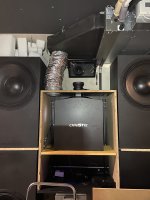


 ), but has 25.000lm and throws an amazing image. The only drawback is that because it is so small and bright, you need massive fans to get the hot air out of the projector. And that means noise. Hence the husbox.