• Thanks for visiting the Kaleidescape Owners' Forum

    This forum is for the community of Kaleidescape owners, and others interested in learning about the system, equipment, services, and the company itself.

    It is run by a group of enthusiastic Kaleidescape owners and dealers purely as a service to this community.

    This board is not affiliated in any way with Kaleidescape, Inc.
    For official technical support, product information, or customer service, please visit www.kaleidescape.com

    You can dismiss this box forever by clicking the "X" in the upper right corner of this message.
  • You are currently in "Guest" mode and not logged in with a registered account.

    The forum is free to use and most of the forum can be used by guests who are not registered....

    ... but we strongly encourage you to register for a full account. There is no cost to register for a full account.

    Benefits of registering for a full account:

    • Participate in the discussions! You must have a registered account to make posts on the forums. You will be able to start your own thread on a topic or question, or you can reply to other threads/discussions.
    • Use the "Conversation" feature (known as "private messaging" on other forums) to communicate directly with any of the other users here.
    • Access the Files area. The "resources" area of the forum contains many "Favorite Scene" and Script files that can dramatically increase the enjoyment of your Kaleidescape system. Go directly to great scenes in your favorite movies, created by other owners, and add automation to playback of your system with Scripts.
    • You won't see this annoying notice at the top of every screen!😊

    It's easy and free to register for the forum. Just click the "Register" button in the upper right corner of this page, and follow the instructions there.

    This box goes away for registered users.

HD Disney movies that are (likely) superior to disc

Put the discs on MakeMKV (default of minimum title length of 120s) to see the file size of each (K in parenthesis):

  1. Phantom Menace - 54.8GB (80.1 HDR10 & 85.6 DV)
  2. Attack of the Clones - 54.4GB (83.1 HDR10 & 86.3 DV)
  3. Revenge of the Sith - 55.6GB (81.4 HDR10 & 84.1 DV)
  4. A New Hope - 52.5GB (71.5 HDR10 & 76.3 DV)
  5. Empire Strikes Back - 55.8GB (74.4 HDR10 & 77.9 DV)
  6. Return of the Jedi - 51.2GB (78.2 HDR10 & 79.3 DV)
  7. The Force Awakens - 58.1GB (80.9 HDR10 & 85.9 DV)
  8. The Last Jedi - 56.3GB HDR10 Disc & 60.2GB DV Disc (79.4 HDR10 & 92.3 DV)
  9. The Rise of Skywalker - 59.1GB (80.8 HDR10 & 89.6 DV)
  • Rogue One - 55GB (78.3 HDR10 & 85.5 DV)
Sorry don't have Solo, but one can guess it slots in there in the mid 50s with the rest.

Bonus MCU titles:

  • Avengers - 55.2GB (82.7 HDR10, no DV yet)
  • Infinity War - 60.7GB (86.3 HDR10 & 94.7 DV)
  • Endgame - 59.4GB (103.3 HDR10, no DV yet)
  • Winter Solider - 56.9GB (75.3 HDR10 & 81.4 DV)
  • Civil War - 59.2GB (83.3 HDR10 & 88.6 DV)
  • Black Panther (DV Disc) 56.1GB - (77.2 HDR10 & 83.8 DV)
  • Thor Ragnarok - 58.7GB (68.7 HDR10 & 77.9 DV)
  • Guardians 2 - 60.6GB (71.5 HDR10 & 84.6 DV)
Sony Marvel

  • Spiderman Homecoming (DV disc) - 56.5GB (71.1 HDR10, no DV yet)
  • Spiderman Far From Home (DV disc) - 68.9GB (66.6 HDR10, no DV yet)
  • Spiderman No Way Home (DV disc) - 71.7GB (79.1 HDR10, no DV yet)
  • Spiderman Into The Spiderverse (no DV on disc) - 46.7GB (59 HDR10 & 66.8 DV)
  • Spiderman Across The Spiderverse (DV disc) - 78.8GB (70.8 HDR10 & 78.1 DV)
 
Can you check titanic?

I noticed the K version is 124.1GB (DV), 110.2 (HDR) and 114.2 (SDR).
 
That was something I was wondering as well. You will find some useful info here along with some other popular titles which should (imho) be owned on K:


Yes, I picked up the entire SW set on sale.
Thanks. I purchased them now lol. I just love the convenience of Kscape instead of loading a disc.
 
Hey, I'm currently working on this list over at the blu-ray.com forums:
..and I'm wondering how many of these truly have unique transfers? I have a few of these on here already, but it's hard to tell which ones on this list are just better encodes or entirely new transfers. Doesn't have to be Disney exclusive but they seem to be the only ones doing these HD upgrades weirdly. Thank you!
 
I don't think as end users we can definitively answer your question and assess if the source/mezzanine file is upgraded, only that what is offered by KScape appears to be a unique encode vs the Blu-Ray. Regarding examples i've actually watched I can speculate that Judge Dredd, Con Air, & Armageddon are likely from a revised source due to how striking the difference is but Gone in 60 Seconds isn't quite so apparent (yet it may have been reworked and as good as it will ever be).
 
Put the discs on MakeMKV (default of minimum title length of 120s) to see the file size of each (K in parenthesis):

  1. Phantom Menace - 54.8GB (80.1 HDR10 & 85.6 DV)
  2. Attack of the Clones - 54.4GB (83.1 HDR10 & 86.3 DV)
  3. Revenge of the Sith - 55.6GB (81.4 HDR10 & 84.1 DV)
  4. A New Hope - 52.5GB (71.5 HDR10 & 76.3 DV)
  5. Empire Strikes Back - 55.8GB (74.4 HDR10 & 77.9 DV)
  6. Return of the Jedi - 51.2GB (78.2 HDR10 & 79.3 DV)
  7. The Force Awakens - 58.1GB (80.9 HDR10 & 85.9 DV)
  8. The Last Jedi - 56.3GB HDR10 Disc & 60.2GB DV Disc (79.4 HDR10 & 92.3 DV)
  9. The Rise of Skywalker - 59.1GB (80.8 HDR10 & 89.6 DV)
  • Rogue One - 55GB (78.3 HDR10 & 85.5 DV)
Sorry don't have Solo, but one can guess it slots in there in the mid 50s with the rest.

Bonus MCU titles:

  • Avengers - 55.2GB (82.7 HDR10, no DV yet)
  • Infinity War - 60.7GB (86.3 HDR10 & 94.7 DV)
  • Endgame - 59.4GB (103.3 HDR10, no DV yet)
  • Winter Solider - 56.9GB (75.3 HDR10 & 81.4 DV)
  • Civil War - 59.2GB (83.3 HDR10 & 88.6 DV)
  • Black Panther (DV Disc) 56.1GB - (77.2 HDR10 & 83.8 DV)
  • Thor Ragnarok - 58.7GB (68.7 HDR10 & 77.9 DV)
  • Guardians 2 - 60.6GB (71.5 HDR10 & 84.6 DV)
Sony Marvel

  • Spiderman Homecoming (DV disc) - 56.5GB (71.1 HDR10, no DV yet)
  • Spiderman Far From Home (DV disc) - 68.9GB (66.6 HDR10, no DV yet)
  • Spiderman No Way Home (DV disc) - 71.7GB (79.1 HDR10, no DV yet)
  • Spiderman Into The Spiderverse (no DV on disc) - 46.7GB (59 HDR10 & 66.8 DV)
  • Spiderman Across The Spiderverse (DV disc) - 78.8GB (70.8 HDR10 & 78.1 DV)
I have Solo and the disc size is 52.3, whereas the Kaleidescape version is 78.7.

SoloAStarWarsStory.jpg
 
A word of caution...while disc vs download size is compelling and usually worth leaning on it doesn't tell the whole story. An example:

Rambo (2008) disc is 98.9 GB, only 39.2 of which is dedicated to the theatrical cut resulting in a video bitrate of 48.1 Mbps. Lots of extras and whole separate extended cut.

The KScape download is 48.7 GB for the theatrical. Do some napkin math dividing that over the runtime for total average bandwidth then subtract the two audio tracks (Atmos also) and you end up with over 60 Mbps for the KScape video bandwidth. No special features on the KScape to take up room.

On the other end of the spectrum there's Patriot's Day (2016):

4K Disc is 46.1 GB with a video bitrate of 66.1 Mbps
KScape is 72.4 GB with a (rough) video bitrate of over 64 Mbps
Both have DTS:X. Not near as much of a difference as you might think.

Granted...both of these are fringe cases. Disc vs download size is a still a quick way to get an idea of what you might see. Just don't hang you hat on it as an absolute. Some discs have a ridiculous amount of supplemental content and some KScape downloads have an incredible number of audio tracks taking up bandwidth:
Not that Wish shouldn't be better than the 4K disc (it should be!). That's just a lot of bandwidth dedicated to audio.

Also...there are quite a few new HD reencodes for Strato V compatibility that are much smaller downloads than the original Blu-Ray disc size. Don't be worried. My math says they are bandwidth equivalent video and audio wise to the Blu's (outside of the ones that they obtained updated source files for). The smaller size is just streamlining the package to [baloo]just the bare necessities[/baloo]- should save us room on our servers.
 
Last edited:
A word of caution...while disc vs download size is compelling and usually worth leaning on it doesn't tell the whole story. An example:

Rambo (2008) disc is 98.9 GB, only 39.2 of which is dedicated to the theatrical cut resulting in a video bitrate of 48.1 Mbps. Lots of extras and whole separate extended cut.

The KScape download is 48.7 GB for the theatrical. Do some napkin math dividing that over the runtime for total average bandwidth then subtract the two audio tracks (Atmos also) and you end up with over 60 Mbps for the KScape video bandwidth. No special features on the KScape to take up room.

On the other end of the spectrum there's Patriot's Day (2016):

4K Disc is 46.1 GB with a video bitrate of 66.1 Mbps
KScape is 72.4 GB with a (rough) video bitrate of over 64 Mbps
Both have DTS:X. Not near as much of a difference as you might think.

Granted...both of these are fringe cases. Disc vs download size is a still a quick way to get an idea of what you might see. Just don't hang you hat on it as an absolute. Some discs have a ridiculous amount of supplemental content and some KScape downloads have an incredible number of audio tracks taking up bandwidth:
Not that Wish shouldn't be better than the 4K disc (it should be!). That's just a lot of bandwidth dedicated to audio.

Also...there are quite a few new HD reencodes for Strato V compatibility that are much smaller downloads than the original Blu-Ray disc size. Don't be worried. My math says they are bandwidth equivalent video and audio wise to the Blu's (outside of the ones that they obtained updated source files for). The smaller size is just streamlining the package to [baloo]just the bare necessities[/baloo]- should save us room on our servers.
That’s true, though one can always check the disc to see what supplements are there. For the Skywalker Saga disc collection there are a bunch of supplementary discs that house the extras. The movie disc is just mainly the movie plus all the audio tracks, which tend to be more than what K offers which would point even more in favor of the K version.
 
I just did a d2d for Heat ( $13…🐁 🍆 ). The file size is 90gb. The disc is contained inside a BD66.
 
I just did a d2d for Heat ( $13…🐁 🍆 ). The file size is 90gb. The disc is contained inside a BD66.

Yeah, Heat is on my Wish list. Could be quite the improvement!

I wonder if the luminance levels are better also. Lots of complaints about how dim the disc is. I didn't have too much heartache with it as it seemed to play decently with my Sony Z9K but I think it's really challenging to tonemap into a suitable image.
 
...

The KScape download is 48.7 GB for the theatrical. Do some napkin math dividing that over the runtime for total average bandwidth then subtract the two audio tracks (Atmos also) and you end up with over 60 Mbps for the KScape video bandwidth. No special features on the KScape to take up room.

...
I need to know more about this "... napkin math...". How exactly do we figure this out? Is it the division over the runtime in seconds, etc.? Can you give us an example with the math explicitly made? I've tried to do this myself but when I'm finished, it does not work out when getting the file size using MakeMKV.
 
I need to know more about this "... napkin math...". How exactly do we figure this out? Is it the division over the runtime in seconds, etc.? Can you give us an example with the math explicitly made? I've tried to do this myself but when I'm finished, it does not work out when getting the file size using MakeMKV.
Allright...geek mode engaged! 🤓

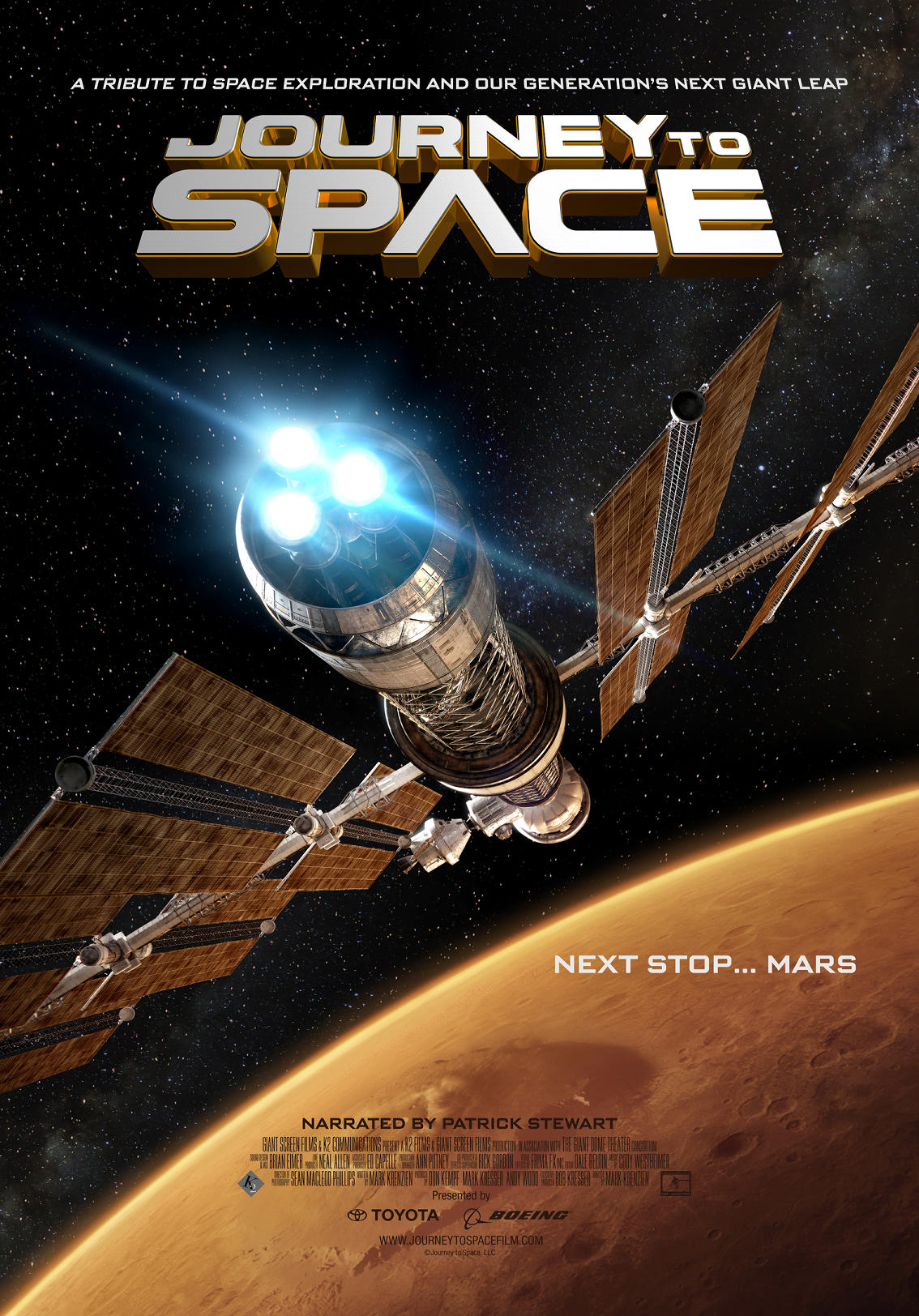
Let's use Journey to Space:
4K HDR Download Size = 21.4 GB
Run Time = 42m

First thing we've got to figure out is total bitrate; meaning video & audio combined:
21.4 * 8000 = 171200 Megabits (Mb)
over
42 * 60 = 2520 Seconds (s)

171200/2520 = 67.94 Megabits/sec (Mbps) total bitrate

Now we need to figure out just the video bitrate as that's what we're interested in (after all lossless audio is lossless - it should sound identical on disc/kscape providing it's the same format/mix).

The only audio track for this title is DTSHD 5.1. I have a spreadsheet I built that has worst case(ish) scenario bitrates for audio formats. For DTSHD 5.1 I use 4.566 Mbps.

67.94-4.566 = (at least) 63.37 Mbps video bandwidth.

For files with multiple audio tracks you need to subtract them all. Wish is 28.93 Mbps worth of audio.

Know that none of this math works when there are included additional features at the resolution you're downloading. Also know that it doesn't include the bandwidth requirements for subtitles that while miniscule are not zero. It's just my OCD brain trying to make smart decisions on what to buy and watch.
Screenshot 2024-08-29 131907.jpg
 
Allright...geek mode engaged! 🤓

Let's use Journey to Space:
4K HDR Download Size = 21.4 GB
Run Time = 42m

First thing we've got to figure out is total bitrate; meaning video & audio combined:
21.4 * 8000 = 171200 Megabits (Mb)
over
42 * 60 = 2520 Seconds (s)

171200/2520 = 67.94 Megabit/sec (Mbps) total bitrate

Now we need to figure out just the video bitrate as that's what we're interested in (after all lossless audio is lossless - it should sound identical on disc/kscape providing it's the same format/mix).

The only audio track is DTSHD 5.1. I have a spreadsheet I built that has worst case(ish) scenario bitrates for audio formats. For DTSHD 5.1 I use 4.566 Mbps.

67.94-4.566 = (at least) 63.37 Mbps video bandwidth.

For files with multiple audio tracks you need to subtract them all. Wish is 28.93 Mbps worth of audio.

Know that none of this math works when there are included additional features at the resolution you're downloading. Also know that it doesn't include the bandwidth requirements for subtitles that while miniscule are not zero. It's just my OCD brain trying to make smart decisions on what to buy and watch.
View attachment 5615
Thanks, I'll have to save this since it's a bit more complicated than I thought. :)
 
First, thanks to all for the information shared in this thread. Very interesting stuff.

Can I confirm one thing? All of the above math can be done universally and we can make assumptions on quality of 4K files because both K and 4K UHD disc authors all use the same codec for everything (HEVC/H.265), right?

This is as opposed to HD/1080p Blu-ray where at least three different codecs are available, (MPEG-2, AVC, VC1), right? We know that the Strato V is incapable of playing VC1 files and this is one contributor to incompatibilities. So, when we see new HD files return, and some are much smaller, it's likely because they're using a more efficient codec (AVC), right?

Just making sure I'm following along.
 
First, thanks to all for the information shared in this thread. Very interesting stuff.

Can I confirm one thing? All of the above math can be done universally and we can make assumptions on quality of 4K files because both K and 4K UHD disc authors all use the same codec for everything (HEVC/H.265), right?

This is as opposed to HD/1080p Blu-ray where at least three different codecs are available, (MPEG-2, AVC, VC1), right? We know that the Strato V is incapable of playing VC1 files and this is one contributor to incompatibilities. So, when we see new HD files return, and some are much smaller, it's likely because they're using a more efficient codec (AVC), right?

Just making sure I'm following along.
You got it. 4K is assumed to all be HEVC/H.265 so easy to compare but all bets are off with HD. Now I can tell you that the video bitrates on most HD titles on KScape line right up with the video bitrates on HD disc so it's very likely they're the same codec but we can't look under hood and know for sure. This of course leaves out the cool new transfers they've been able to source and do their own HD encodes for.

What's interesting is many (most?) of those HD titles that got smaller when they were streamlined and made compatible went from not lining up to where they also line right up with the HD disc counterpart. I'm thinking they didn't change codecs on the things they couldn't get mezzanine files for. Which also makes we wonder what changed in the file to make it Strato V compatible if it wasn't the video/audio codecs. I mean, it's cool that we're trimming titles like this taking up space:
49.8 GB and no special features outside of a commentary thats likely in Dolby Digital 2.0/1.0. Even counting the hefty LPCM 7.1 track that leaves over 63 Mbps for HD video. Aint happenin' captain...no need for all that even with MPEG-2.

Glad to see them trimming the fat from titles like that but I'm still wondering how it all works. Maybe I need to move to CA and get a job with them so I can help out. :p

I hope I'm not stepping on any toes here with the speculation. Hi content team if you're reading...nothin' but respect for the hours you've put in lately! 🤟 :love:
 
Last edited:
I don't think as end users we can definitively answer your question and assess if the source/mezzanine file is upgraded, only that what is offered by KScape appears to be a unique encode vs the Blu-Ray. Regarding examples i've actually watched I can speculate that Judge Dredd, Con Air, & Armageddon are likely from a revised source due to how striking the difference is but Gone in 60 Seconds isn't quite so apparent (yet it may have been reworked and as good as it will ever be).
Con Air is the only one I've been able to skim through personally out of those and I can say it's 100% a new transfer, and even has a line that was removed from the blu-ray on accident. It also looks pretty much exactly like the 35mm print I saw a month or so ago.
Stream vs blu
Random stream pics
Line comparison

I'll look into Judge Dredd and Armageddon, thank you. These all seem to be newer sources as well..
Romancing The Stone
Commando (R-Rated cut)
Jewel of the Nile
Big Trouble in Little China (the master is unfortunately slightly stretched, it is also on the Italian blu)
Volcano (on the Japanese and German blus)
The Color of Money

I'd love to go through this entire list eventually and see if any or all of them are updated digitally. I know probably 90% of them aren't actually in full 4K but maybe they're 4K downscaled to HD on digital.
https://www.parkcircus.com/explore_films?query=&format=4K DCP&genre=&decade=&territory=&language=&rights=&studio=Disney
 
Allright...geek mode engaged! 🤓

Let's use Journey to Space:
4K HDR Download Size = 21.4 GB
Run Time = 42m

First thing we've got to figure out is total bitrate; meaning video & audio combined:
21.4 * 8000 = 171200 Megabits (Mb)
over
42 * 60 = 2520 Seconds (s)

171200/2520 = 67.94 Megabits/sec (Mbps) total bitrate

Now we need to figure out just the video bitrate as that's what we're interested in (after all lossless audio is lossless - it should sound identical on disc/kscape providing it's the same format/mix).

The only audio track for this title is DTSHD 5.1. I have a spreadsheet I built that has worst case(ish) scenario bitrates for audio formats. For DTSHD 5.1 I use 4.566 Mbps.

67.94-4.566 = (at least) 63.37 Mbps video bandwidth.

For files with multiple audio tracks you need to subtract them all. Wish is 28.93 Mbps worth of audio.

Know that none of this math works when there are included additional features at the resolution you're downloading. Also know that it doesn't include the bandwidth requirements for subtitles that while miniscule are not zero. It's just my OCD brain trying to make smart decisions on what to buy and watch.
View attachment 5615
Let me see if I'm doing this correctly. I'm trying to see if it may be worth purchasing the K version of "Valerian and the City of a Thousand Planets". The download file for 4K HDR10 is 70GB.

70 X 8000 = 560,000
over
137 X 60 = 8,220

560000/8220 = 68.13

This title has a Dolby TrueHD Atmos and a Dolby Digital 5.1 track, so two audio tracks.

Based on your chart, using Lionsgate as the studio and 4K title, I only see a row for audio at 6,86. 68.13 - 6.86 = 61.27. The disk size is 60.7 for video when I checked with MakeMKV. This would indicate that the K file is not a whole lot different from the disc and therefore, not worth purchasing, right? Did I use the right numbers for audio?
 
Let me see if I'm doing this correctly. I'm trying to see if it may be worth purchasing the K version of "Valerian and the City of a Thousand Planets". The download file for 4K HDR10 is 70GB.

70 X 8000 = 560,000
over
137 X 60 = 8,220

560000/8220 = 68.13

This title has a Dolby TrueHD Atmos and a Dolby Digital 5.1 track, so two audio tracks.

Based on your chart, using Lionsgate as the studio and 4K title, I only see a row for audio at 6,86. 68.13 - 6.86 = 61.27. The disk size is 60.7 for video when I checked with MakeMKV. This would indicate that the K file is not a whole lot different from the disc and therefore, not worth purchasing, right? Did I use the right numbers for audio?
For Valerian you're spot on and used the right (worst case) audio numbers...KScape video is easily over 61.27 Mbps.

For the disc you're looking for a BDInfo report (not just the raw disc file size) so you can compare the video bitrate. This is a report from the UK disc which appears to be identical to the North American release:
Code:
DISC INFO:

Disc Title:     Valerian And The City of a Thousand Planets - Ultra HD Blu-ray™
Disc Label:     VALERIAN
Disc Size:      83,865,376,157 bytes
Protection:     AACS2
Extras:         Ultra HD, BD-Java
BDInfo:         0.7.5.5

PLAYLIST REPORT:

Name:                   00802.MPLS
Length:                 2:17:04.466 (h:m:s.ms)
Size:                   65,270,525,952 bytes
Total Bitrate:          63.49 Mbps

(*) Indicates included stream hidden by this playlist.

VIDEO:

Codec                   Bitrate             Description
-----                   -------             -----------
MPEG-H HEVC Video       44378 kbps          2160p / 23.976 fps / 16:9 / Main 10 @ Level 5.1 @ High / 4:2:0 / 10 bits / HDR10 / Limited Range / BT.2020 / PQ / BT.2020 non-constant / Mastering display color primaries: Display P3 / Mastering display luminance: min: 0.0050 cd/m2, max: 1000 cd/m2 / Maximum Content Light Level: 632 cd / m2 / Maximum Frame-Average Light Level: 298 cd/m2
* MPEG-H HEVC Video     8256 kbps           1080p / 23.976 fps / 16:9 / Main 10 @ Level 5.1 @ High / 4:2:0 / 10 bits / Dolby Vision / Limited Range / BT.2020 / PQ / BT.2020 non-constant / Mastering display color primaries: Display P3 / Mastering display luminance: min: 0.0050 cd/m2, max: 1000 cd/m2

AUDIO:

Codec                           Language        Bitrate         Description
-----                           --------        -------         -----------
Dolby TrueHD/Atmos Audio        English         5064 kbps       7.1 / 48 kHz /  4424 kbps / 24-bit (AC3 Embedded: 5.1-EX / 48 kHz /   640 kbps / DN -31dB)
Dolby Digital Audio             English         224 kbps        2.0 / 48 kHz /   224 kbps / DN -31dB / Dolby Surround
Dolby Digital Audio             Spanish         640 kbps        5.1 / 48 kHz /   640 kbps / DN -31dB
Dolby Digital Audio             French          640 kbps        5.1 / 48 kHz /   640 kbps / DN -31dB
Dolby Digital Audio             English         224 kbps        2.0 / 48 kHz /   224 kbps / DN -31dB / Dolby Surround

SUBTITLES:

Codec                           Language        Bitrate         Description
-----                           --------        -------         -----------
Presentation Graphics           English         42.486 kbps                
Presentation Graphics           Spanish         33.909 kbps                
Presentation Graphics           French          0.233 kbps                 
Presentation Graphics           Spanish         0.492 kbps
Add 44378 for the base video layer and 8256 for the Dolby Vision layer (if you in fact have a DV capable setup):
44.378 + 8.256 = 52.63 Mbps
KScape has a significant edge in regards to video bandwidth. Even with my DV capable setup I D2D'd this one and have sidelined the disc.

If you don't have a DV setup the delta is even larger as you'll only really be viewing the disc's 44.38 Mbps base video layer. Total slam dunk for KScape! 🤟

PM me if you guys have specific favorite titles that are difficult to find BDInfo reports for. I either tracked down or ripped/analyzed all but like 2 out of my 1100+ 4K disc library. Had read errors with those couple problem discs.
 
Last edited:
Back
Top