• Thanks for visiting the Kaleidescape Owners' Forum

    This forum is for the community of Kaleidescape owners, and others interested in learning about the system, equipment, services, and the company itself.

    It is run by a group of enthusiastic Kaleidescape owners and dealers purely as a service to this community.

    This board is not affiliated in any way with Kaleidescape, Inc.
    For official technical support, product information, or customer service, please visit www.kaleidescape.com

    You can dismiss this box forever by clicking the "X" in the upper right corner of this message.
  • You are currently in "Guest" mode and not logged in with a registered account.

    The forum is free to use and most of the forum can be used by guests who are not registered....

    ... but we strongly encourage you to register for a full account. There is no cost to register for a full account.

    Benefits of registering for a full account:

    • Participate in the discussions! You must have a registered account to make posts on the forums. You will be able to start your own thread on a topic or question, or you can reply to other threads/discussions.
    • Use the "Conversation" feature (known as "private messaging" on other forums) to communicate directly with any of the other users here.
    • Access the Files area. The "resources" area of the forum contains many "Favorite Scene" and Script files that can dramatically increase the enjoyment of your Kaleidescape system. Go directly to great scenes in your favorite movies, created by other owners, and add automation to playback of your system with Scripts.
    • You won't see this annoying notice at the top of every screen!😊

    It's easy and free to register for the forum. Just click the "Register" button in the upper right corner of this page, and follow the instructions there.

    This box goes away for registered users.

NEWS: Strato K Movie Player with 8K capability and new "4K Cinematic" full-chroma & higher bitrate support

Now this is interesting! So you saw a substantial difference with the K in a projected image with a JVC. Do you have a video processor in your chain as well?
Not yet. My extreme MK3 is on order and should be there soon.
 
I unboxed my Strato K on Tuesday and have been looking at comparisons after the initial setup. I’ll put more detailed notes toward the weekend, but in short, the difference is noticeable. I have the Strato K passing through a Marantz receiver into an LG 77 inch C1. Not the biggest or newest, but even still I could see a difference. I compared 4K Cinematic DV and HDR10 against the comparable regular 4K on K-scape and against the 4K disc. It varied per title, with some titles having no visible difference from a normal viewing distance from the regular 4K title, but others were so obviously better. What stood out with the chroma was the vibrancy of colors, specifically reds. The increased bitrate made grain so much better. Titles that stood out were Indiana Jones and the Temple of Doom (grain was substantially better vs the 4K disc); the first Toy Story was more vibrant and sharper than the regular DV on Kscape; and The Greatest Showman was more vibrant and detailed compared to the disc. I’ve got almost 100 Cinematic titles in my library available to test, so I’ll be continuing through the weekend with more to share later. The only title with an authoring error so far was Blade Runner 2049 (milky blacks even in the black bars), which I reported to Kaleidescape and they have already submitted it to their team for review. Nothing wrong with the regular DV version of this title, so I’m sure it will be fixed with an update soon. Overall, I’m pleased with the upgrade. It will be the way I watch a title from this point forward if it is in 4K Cinematic.
 
Another K scape Strato K review. This one is by JoeRod
hstrial-jrodriguez996.homestead.com
I saw the review; however the screenshots for the CV downloads he posted for Michael, Badlands and Power Ballad were in Dolby vision. This is prior to the HdR10 update which happened earlier today, wherein HDR10 support was added to the aforementioned titles as well.

For Michael he showcased a screenshot indicating “cinematic 4:4:4” even though C-Dolby vision is capped at 4:2:2. Maybe he could clarify that if he’s active on this forum.
 
The only title with an authoring error so far was Blade Runner 2049 (milky blacks even in the black bars), which I reported to Kaleidescape and they have already submitted it to their team for review. Nothing wrong with the regular DV version of this title, so I’m sure it will be fixed with an update soon.
I just downloaded it and can confirm...same deal as Batman Begins so I took a sec and shot an email to the team corroborating your report. My system is super streamlined compared to most on here with the Strato K directly feeding my Bravia 9 II (sound eARC'd) so it's a bit difficult to hand wave away as an anomaly due to signal chain/processing. Of note regarding Batman Begins, I received a response earlier today that content is "working on addressing this issue" (so I'm guessing they see the issue) and, although there's no ETA, "they do expect to have it resolved shortly." (y)
 
Last edited:
Yea, I got annoyed that they kept falling back on the you only have a 4K display excuse rather than going with yes we need to fix that. As a result, I got a good deal on an open box Samsung 8K TV at BBY and am picking it up tomorrow. Fully 8K capable, no e-shift, so they can't take the current deflection approach after I get it hooked up.

I guess it's always possibly it could work in which case it would prove them right, but I guess time will tell.

I totally get the perspective regarding 2.1 and 4K Cinematic — “does it really matter?” I will happily enjoy 4K Cinematic with 2.0 for a time while K-scape sorts out the issue, but my eye is firmly on 8K. However, if you promote a 2.1 device, it should support 2.1 interoperability between other 2.1 devices. 4K or 8K shouldn’t really matter. It could turn into false advertising unless K-scape wants to add a big asterisk that states 2.1 is only for native 8K devices.

I have an 85” Sony Z9K 8K capable flatpanel and am setting up to make a big expenditure to move to front projection. If the Strato K doesn’t do 2.1 with the JVC NZ900’s 8K/60p input, I will be very disappointed. K-scape should have done 2.1 validation with the JVC 800/900, Trinnov with 2.1 board, MadVR EE MK3, Denon AVR-A1H, etc. If that didn’t happen, shame on them.

I really believe K-scape can and will sort this out. Being on the bleeding edge is not without bumps in the road. Their response to @Sasquatch wasn’t the right approach though IMHO.

Quick update from today’s testing.

Because the discussion around the Strato K HDMI 2.1 / FRL issue kept coming back to the fact that my main display was “only” 4K, I purchased an 8K display today to do some additional testing. The TV is a Samsung 85" QN900F.

The original problematic chain is:

Strato K > Trinnov Altitude 32 with HDMI 2.1 board > LG G5

In that setup, the Strato K has been inconsistent. Sometimes I get 4K HDR / Dolby Vision, sometimes it falls back to 1080p, and sometimes I get no picture. When there is no picture, the Strato K status screen has sometimes shown what appears to be a successful handshake, including 4K Dolby Vision and HDCP 2.3, while other times it reports no display present.

Today, with the Samsung 8K display, I tested direct-to-display first:

Strato K > Bullet Train 10K 48Gbps AOC HDMI, 30M > Samsung QN900F

That worked and produced a picture.

I then tested the Strato K routed through several processors:

Strato K > Trinnov Altitude 32 with HDMI 2.1 board > Samsung QN900F
Result: Strato K did not recognize a display as connected, and the TV did not show a picture.

Strato K > Marantz AV10 > Samsung QN900F
Result: AV10 HDMI input was set to 8K Enhanced. The Strato K appeared to report a successful 8K handshake, but the TV did not show a picture.

Strato K > Lyngdorf MP-40 2.1 > Samsung QN900F
Result: Strato K appeared to report a successful 8K handshake, but the TV did not show a picture.

In all of the processor-routed tests, the processor-to-TV cable was the same Bullet Train 10K 48Gbps AOC HDMI, 30M, that worked in the direct-to-display test. For the Strato K-to-processor connection, I tried combinations of the AudioQuest Jupiter HDMI cable that ships with the Strato K, a Bullet Train 8K Professional HDMI cable, and a Bullet Train 10K 48Gbps HDMI cable.

So, based on today’s testing, my issue is not simply “4K display does not need HDMI 2.1.” The Strato K worked when connected directly to the 8K display, but I could not get a successful picture when routing through three different high-end processors.

From a practical user standpoint, this is concerning because the Strato K does not have a separate HDMI audio output. In most of our installations, the player is going to be routed through a processor or AVR, not directly into the display.

There is one other data point that concerns me. A separate Strato K in my master bedroom had previously been working on a 4K display. After 8K-related testing, that player now shows “No Signal” when returned to a 4K display unless the connection is manually limited to HDMI 2.0 / 18Gbps.

I am not claiming to know exactly what is happening, but it appears that once a Strato K has seen an 8K-capable display/EDID, something in the software or HDMI state can get sideways and interfere with returning to a 4K display unless the player is manually throttled back to HDMI 2.0. This is also relevant because Kaleidescape previously suggested that, during my earlier troubleshooting, putting a Dr. HDMI 8K in the media room chain may have registered an 8K EDID and caused the player to remain in FRL mode, contributing to the LG G5 issue. I now seem to have two data points in the same general direction.

My personal opinion is that the 8K / HDMI 2.1 side of the Strato K does not appear to have been thoroughly tested in real-world processor-based systems with real world custom install length HDMI runs prior to release. It feels like the core 4K Cinematic functionality was the focus, which I understand, and then the presence of an HDMI 2.1 / 8K-capable chipset was treated as enough to market the product that way. But based on what I am seeing, the real-world HDMI 2.1 / FRL behavior through common high-end processors does not seem ready.

I asked Kaleidescape today for confirmation that this issue is being actively worked given the additional 8K testing results. As of now, I have not received a substantive update or even confirmation that they have changed course from yesterday’s position that the 18Gbps setting is the appropriate remediation for current 4K use and that no further work would be done by support to address the challenge.

I'd be curious if anyone else has had luck getting an 8K signal through a processor to a display without issue. Ideally, strato k > processor > display without a lumagen or madvr in the chain. Anyone?

@tayloe since I understand you follow this board, can you please confirm whether Kaleidescape is actively working this issue? My understanding from Support was that the issue was effectively being treated as remediated because the affected system originally had a 4K display in the chain and the player could be limited to HDMI 2.0 / 18Gbps. I requested confirmation yesterday that Kaleidescape would continue investigating the underlying HDMI 2.1 / FRL issue, especially after my additional 8K display testing, but as of this post I have not received that confirmation. I am simply asking whether this is now being treated as an active engineering issue rather than a closed/remediated support matter.
 
Last edited:
My personal opinion is that the 8K / HDMI 2.1 side of the Strato K does not appear to have been thoroughly tested in real-world processor-based systems with real world custom install length HDMI runs prior to release. It feels like the core 4K Cinematic functionality was the focus, which I understand, and then the presence of an HDMI 2.1 / 8K-capable chipset was treated as enough to market the product that way. But based on what I am seeing, the real-world HDMI 2.1 / FRL behavior through common high-end processors does not seem ready.
We´re closely working with Trinnov on several topics (being beta tester on some projects). HDMI-compatibility is one of the main topics that pops up regularly. We´ve experienced similar issues with the Strato V in the past as it also has an HDMI 2.1 output.
As one of the consequences, Trinnov did some work on the EDID compatibility and just released a new firmware for the new Altitude CI yesterday which added the following functionality: "Support of 512-byte EDID for HDMI.". This will also go into a future Alt16/32 firmware update.
Unfortunately, we don´t have a K for testing yet. But I could imagine that this could improve things.
 
Quick update from today’s testing.

Because the discussion around the Strato K HDMI 2.1 / FRL issue kept coming back to the fact that my main display was “only” 4K, I purchased an 8K display today to do some additional testing. The TV is a Samsung 85" QN900F.

The original problematic chain is:

Strato K > Trinnov Altitude 32 with HDMI 2.1 board > LG G5

In that setup, the Strato K has been inconsistent. Sometimes I get 4K HDR / Dolby Vision, sometimes it falls back to 1080p, and sometimes I get no picture. When there is no picture, the Strato K status screen has sometimes shown what appears to be a successful handshake, including 4K Dolby Vision and HDCP 2.3, while other times it reports no display present.

Today, with the Samsung 8K display, I tested direct-to-display first:

Strato K > Bullet Train 10K 48Gbps AOC HDMI, 30M > Samsung QN900F

That worked and produced a picture.

I then tested the Strato K routed through several processors:

Strato K > Trinnov Altitude 32 with HDMI 2.1 board > Samsung QN900F
Result: Strato K did not recognize a display as connected, and the TV did not show a picture.

Strato K > Marantz AV10 > Samsung QN900F
Result: AV10 HDMI input was set to 8K Enhanced. The Strato K appeared to report a successful 8K handshake, but the TV did not show a picture.

Strato K > Lyngdorf MP-40 2.1 > Samsung QN900F
Result: Strato K appeared to report a successful 8K handshake, but the TV did not show a picture.

In all of the processor-routed tests, the processor-to-TV cable was the same Bullet Train 10K 48Gbps AOC HDMI, 30M, that worked in the direct-to-display test. For the Strato K-to-processor connection, I tried combinations of the AudioQuest Jupiter HDMI cable that ships with the Strato K, a Bullet Train 8K Professional HDMI cable, and a Bullet Train 10K 48Gbps HDMI cable.

So, based on today’s testing, my issue is not simply “4K display does not need HDMI 2.1.” The Strato K worked when connected directly to the 8K display, but I could not get a successful picture when routing through three different high-end processors.

From a practical user standpoint, this is concerning because the Strato K does not have a separate HDMI audio output. In most of our installations, the player is going to be routed through a processor or AVR, not directly into the display.

There is one other data point that concerns me. A separate Strato K in my master bedroom had previously been working on a 4K display. After 8K-related testing, that player now shows “No Signal” when returned to a 4K display unless the connection is manually limited to HDMI 2.0 / 18Gbps.

I am not claiming to know exactly what is happening, but it appears that once a Strato K has seen an 8K-capable display/EDID, something in the software or HDMI state can get sideways and interfere with returning to a 4K display unless the player is manually throttled back to HDMI 2.0. This is also relevant because Kaleidescape previously suggested that, during my earlier troubleshooting, putting a Dr. HDMI 8K in the media room chain may have registered an 8K EDID and caused the player to remain in FRL mode, contributing to the LG G5 issue. I now seem to have two data points in the same general direction.

My personal opinion is that the 8K / HDMI 2.1 side of the Strato K does not appear to have been thoroughly tested in real-world processor-based systems with real world custom install length HDMI runs prior to release. It feels like the core 4K Cinematic functionality was the focus, which I understand, and then the presence of an HDMI 2.1 / 8K-capable chipset was treated as enough to market the product that way. But based on what I am seeing, the real-world HDMI 2.1 / FRL behavior through common high-end processors does not seem ready.

I asked Kaleidescape today for confirmation that this issue is being actively worked given the additional 8K testing results. As of now, I have not received a substantive update or even confirmation that they have changed course from yesterday’s position that the 18Gbps setting is the appropriate remediation for current 4K use and that no further work would be done by support to address the challenge.

I'd be curious if anyone else has had luck getting an 8K signal through a processor to a display without issue. Ideally, strato k > processor > display without a lumagen or madvr in the chain. Anyone?
Out of curiosity. What is the cable length you are using when you are connecting the player to the Trinnov and/or Marantz? I see the length for the long run to the display listed.
 
Unfortunately, @Sasquatch ’s results makes me wonder about K-scape’s prelaunch testing for 2.1. K-scape scape should have performed HDMI 2.1 signal chain validation for the Strato K with popular higher end devices like a 2.1 Trinnov, Storm, MadVR EE MK3, JVC NZ900, Denon AVR-A1H, etc. I wouldn’t necessarily expect them to have all that gear in-house. One message to their dealer network (or a thread on this forum) and they’d easily get a couple of dozen beta testers with elite systems to do testing for them gratis.

I have faith that K-scape will acknowledge and fix the 2.1 issue. They advertise it as 2.1 and it should work as 2.1. 4K or 8K shouldn’t really matter. It seems everyone is shrugging their shoulders and reverting to 2.0, which obviously isn’t a long term solution because 2.1 will be needed once you get to a up to a certain resolutions.
 
Quick update from today’s testing.

Because the discussion around the Strato K HDMI 2.1 / FRL issue kept coming back to the fact that my main display was “only” 4K, I purchased an 8K display today to do some additional testing. The TV is a Samsung 85" QN900F.

The original problematic chain is:

Strato K > Trinnov Altitude 32 with HDMI 2.1 board > LG G5

In that setup, the Strato K has been inconsistent. Sometimes I get 4K HDR / Dolby Vision, sometimes it falls back to 1080p, and sometimes I get no picture. When there is no picture, the Strato K status screen has sometimes shown what appears to be a successful handshake, including 4K Dolby Vision and HDCP 2.3, while other times it reports no display present.

Today, with the Samsung 8K display, I tested direct-to-display first:

Strato K > Bullet Train 10K 48Gbps AOC HDMI, 30M > Samsung QN900F

That worked and produced a picture.

I then tested the Strato K routed through several processors:

Strato K > Trinnov Altitude 32 with HDMI 2.1 board > Samsung QN900F
Result: Strato K did not recognize a display as connected, and the TV did not show a picture.

Strato K > Marantz AV10 > Samsung QN900F
Result: AV10 HDMI input was set to 8K Enhanced. The Strato K appeared to report a successful 8K handshake, but the TV did not show a picture.

Strato K > Lyngdorf MP-40 2.1 > Samsung QN900F
Result: Strato K appeared to report a successful 8K handshake, but the TV did not show a picture.

In all of the processor-routed tests, the processor-to-TV cable was the same Bullet Train 10K 48Gbps AOC HDMI, 30M, that worked in the direct-to-display test. For the Strato K-to-processor connection, I tried combinations of the AudioQuest Jupiter HDMI cable that ships with the Strato K, a Bullet Train 8K Professional HDMI cable, and a Bullet Train 10K 48Gbps HDMI cable.

So, based on today’s testing, my issue is not simply “4K display does not need HDMI 2.1.” The Strato K worked when connected directly to the 8K display, but I could not get a successful picture when routing through three different high-end processors.

From a practical user standpoint, this is concerning because the Strato K does not have a separate HDMI audio output. In most of our installations, the player is going to be routed through a processor or AVR, not directly into the display.

There is one other data point that concerns me. A separate Strato K in my master bedroom had previously been working on a 4K display. After 8K-related testing, that player now shows “No Signal” when returned to a 4K display unless the connection is manually limited to HDMI 2.0 / 18Gbps.

I am not claiming to know exactly what is happening, but it appears that once a Strato K has seen an 8K-capable display/EDID, something in the software or HDMI state can get sideways and interfere with returning to a 4K display unless the player is manually throttled back to HDMI 2.0. This is also relevant because Kaleidescape previously suggested that, during my earlier troubleshooting, putting a Dr. HDMI 8K in the media room chain may have registered an 8K EDID and caused the player to remain in FRL mode, contributing to the LG G5 issue. I now seem to have two data points in the same general direction.

My personal opinion is that the 8K / HDMI 2.1 side of the Strato K does not appear to have been thoroughly tested in real-world processor-based systems with real world custom install length HDMI runs prior to release. It feels like the core 4K Cinematic functionality was the focus, which I understand, and then the presence of an HDMI 2.1 / 8K-capable chipset was treated as enough to market the product that way. But based on what I am seeing, the real-world HDMI 2.1 / FRL behavior through common high-end processors does not seem ready.

I asked Kaleidescape today for confirmation that this issue is being actively worked given the additional 8K testing results. As of now, I have not received a substantive update or even confirmation that they have changed course from yesterday’s position that the 18Gbps setting is the appropriate remediation for current 4K use and that no further work would be done by support to address the challenge.

I'd be curious if anyone else has had luck getting an 8K signal through a processor to a display without issue. Ideally, strato k > processor > display without a lumagen or madvr in the chain. Anyone?

@tayloe since I understand you follow this board, can you please confirm whether Kaleidescape is actively working this issue? My understanding from Support was that the issue was effectively being treated as remediated because the affected system originally had a 4K display in the chain and the player could be limited to HDMI 2.0 / 18Gbps. I requested confirmation yesterday that Kaleidescape would continue investigating the underlying HDMI 2.1 / FRL issue, especially after my additional 8K display testing, but as of this post I have not received that confirmation. I am simply asking whether this is now being treated as an active engineering issue rather than a closed/remediated support matter.

When switching 8K back to 4K or vice versa (where EDID info might change), did you try to unplug all equipment in the chain? Sometimes this is needed so equipment forget about the old EDID info that might have changed. Also, for the Marabtz, did you disable/bypass its video processing?
 
Just my first stab at some testing with the K. I have an 8K TV on a secondary location where I connected the Strato K and couldn't get any video data, only audio along with a black screen. I didn't spend a lot of time trying to figure out why, so I moved it to my primary location where I have a 4K TV. It started off with a black screen but seemed to recover soon afterwards. I did try to play my first movie on it but kept getting an error about "can't play" or something. I went to another title which played just fine, so then went back to original movie and it worked that time.

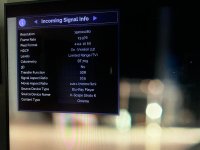
I could be incorrect about how it's supposed to work with Chroma, but I thought Dolby Vision Cinematic titles supported up to 4:2:2 and HDR10 titles could support up to 4:4:4? Last night, I was getting 4:2:2 for every title. Today, on the Bohemian title (which is 4:4:4) is only working at 1080p resolution. Very confusing.


MadVRInfo.jpg


The two movies I tested were:

Dolby Vision:


and

HDR10:


Any thoughts? Is there still a setting somewhere that might be incorrect or do some HDR10 titles only support 4:2:2? If so, has anyone found an HDR10 title that supports 4:4:4 Chroma in 4K?
 
Last edited:
I have a Strato E that is less than a year old. My setup is pretty straightforward E --> Denon AVR --> 77" LG OLED via fiber HDMI. Both the TV and AVR were purchased in 2020. The fiber HDMI was added in 2024.

I inquired with the local dealer I purchased the E from about a possible trade-in program to upgrade to the K. He advised against it, saying I should look into it once I get a new TV and AVR (which I'm not planning to), and which of course he'd be happy to review the options with me.

I'm curious as to whether his statement has any merit or if he's just trying to sell me new equipment. :unsure:
 
I have a Strato E that is less than a year old. My setup is pretty straightforward E --> Denon AVR --> 77" LG OLED via fiber HDMI. Both the TV and AVR were purchased in 2020. The fiber HDMI was added in 2024.

I inquired with the local dealer I purchased the E from about a possible trade-in program to upgrade to the K. He advised against it, saying I should look into it once I get a new TV and AVR (which I'm not planning to), and which of course he'd be happy to review the options with me.

I'm curious as to whether his statement has any merit or if he's just trying to sell me new equipment. :unsure:
I can't speak for the AVR, but upgrading from an OLED that old to a new G6 will be a significant improvement.
 
When switching 8K back to 4K or vice versa (where EDID info might change), did you try to unplug all equipment in the chain? Sometimes this is needed so equipment forget about the old EDID info that might have changed. Also, for the Marabtz, did you disable/bypass its video processing?

Good call, I didn't physically remove power to clear the stored info, just power cycled. Can/will try later. Regarding the Marantz, input was set to 8K Enhanced and no video processing enabled
 
I have a Strato E that is less than a year old. My setup is pretty straightforward E --> Denon AVR --> 77" LG OLED via fiber HDMI. Both the TV and AVR were purchased in 2020. The fiber HDMI was added in 2024.

I inquired with the local dealer I purchased the E from about a possible trade-in program to upgrade to the K. He advised against it, saying I should look into it once I get a new TV and AVR (which I'm not planning to), and which of course he'd be happy to review the options with me.

I'm curious as to whether his statement has any merit or if he's just trying to sell me new equipment. :unsure:
If you want to get the new K, go for it. Only you will be able to determine if it's worth it.
 
I can't speak for the AVR, but upgrading from an OLED that old to a new G6 will be a significant improvement.
Thanks for the response. Just to be clear, do you mean a significant improvement in going from an E to a K specifically, or just in general with everything watched because it'd be a newer TV?
 
Thanks for the response. Just to be clear, do you mean a significant improvement in going from an E to a K specifically, or just in general with everything watched because it'd be a newer TV?
The TV itself. Everything will be significantly improved. The E and K will both look better, and I'd think the K will have a noticeable bump on the newer panel.
 
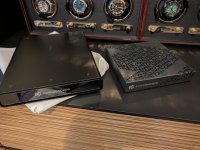
The Strato K arrived (Thanks Ironman1718/Woodlands Home Theater!). It and my new Mini Terra Prime (Thanks Value Electronics!) are getting ready to be installed. I'm excited!

View attachment 10676
Glad to hear you got your K delivered. I got my installed last night and started downloading 4K-C titles. This may take most of the day to get them all downloaded. Let us know what you think about the Strato K when you get it downloaded into your system 👍
 
Glad to hear you got your K delivered. I got my installed last night and started downloading 4K-C titles. This may take most of the day to get them all downloaded. Let us know what you think about the Strato K when you get it downloaded into your system 👍
So far, the install was a breeze and everything seems to be handshaking and working with the correct settings. Downloads have started, so I'll give it a while to get everything going. Tonight should be good :)
 
Back
Top