Something I noticed....not sure if its a setting or what...but fomr the Popcorn Ready page...if I change the filter to "Downloaded on (Strato)" it seems to only show downloaded movies that are marked as favorites...any other downloaded movies that are not favorites do not show up?


-
Thanks for visiting the Kaleidescape Owners' Forum
This forum is for the community of Kaleidescape owners, and others interested in learning about the system, equipment, services, and the company itself.It is run by a group of enthusiastic Kaleidescape owners and dealers purely as a service to this community.
This board is not affiliated in any way with Kaleidescape, Inc.
For official technical support, product information, or customer service, please visit www.kaleidescape.com
You can dismiss this box forever by clicking the "X" in the upper right corner of this message. -
You are currently in "Guest" mode and not logged in with a registered account.
The forum is free to use and most of the forum can be used by guests who are not registered....
... but we strongly encourage you to register for a full account. There is no cost to register for a full account.
Benefits of registering for a full account:
- Participate in the discussions! You must have a registered account to make posts on the forums. You will be able to start your own thread on a topic or question, or you can reply to other threads/discussions.
- Use the "Conversation" feature (known as "private messaging" on other forums) to communicate directly with any of the other users here.
- Access the Files area. The "resources" area of the forum contains many "Favorite Scene" and Script files that can dramatically increase the enjoyment of your Kaleidescape system. Go directly to great scenes in your favorite movies, created by other owners, and add automation to playback of your system with Scripts.
- You won't see this annoying notice at the top of every screen!😊
This box goes away for registered users.
You are using an out of date browser. It may not display this or other websites correctly.
You should upgrade or use an alternative browser.
You should upgrade or use an alternative browser.
Popcorn Ready - Chrome extension for Kaleidescape users
- Thread starter OUTATIME
- Start date

- Joined
- Dec 4, 2024
- Messages
- 400
Interesting. That feature was designed for systems where you may not have every movie downloaded or you had 2 separate serversSomething I noticed....not sure if its a setting or what...but fomr the Popcorn Ready page...if I change the filter to "Downloaded on (Strato)" it seems to only show downloaded movies that are marked as favorites...any other downloaded movies that are not favorites do not show up?
Yeah, odd. I only have a standalone Strato V so very limited on what I can have downloaded. But I do keep 4 or 5 movies marked as favorite...mostly demo material. I currently have 8 movies on the Strato V and only the 4 currently marked as favorite show up under filter.Interesting. That feature was designed for systems where you may not have every movie downloaded or you had 2 separate servers
@OUTATIME I love what you've done and truly appreciate all your hard work. That you have done all this as a hobby to benefit Kaleidescape users truly deserves thanks.
It would be incredibly useful to be able to use this on a tablet or phone. But, I can't find any reliable/safe browsers that accept Chrome extensions on mobile devices. Is there a safe workaround that I'm missing for either iOS or Android?
It would be incredibly useful to be able to use this on a tablet or phone. But, I can't find any reliable/safe browsers that accept Chrome extensions on mobile devices. Is there a safe workaround that I'm missing for either iOS or Android?
There's a browser called Orion that was working with the Popcorn Ready extension. I had it working at one time and then I had to reset my iPad so don't have it anymore.@OUTATIME I love what you've done and truly appreciate all your hard work. That you have done all this as a hobby to benefit Kaleidescape users truly deserves thanks.
It would be incredibly useful to be able to use this on a tablet or phone. But, I can't find any reliable/safe browsers that accept Chrome extensions on mobile devices. Is there a safe workaround that I'm missing for either iOS or Android?
Yes, thanks. I checked that out but, reportedly, it is not very stable. And, I have security and privacy requirements, which it does not meet.There's a browser called Orion that was working with the Popcorn Ready extension. I had it working at one time and then I had to reset my iPad so don't have it anymore.
- Joined
- Dec 4, 2024
- Messages
- 400
OK, I created a new build of the local helper so you should be able to install it from the hamburger menu. Hopefully this one works on Windows now.
For users that can't resolve my-kaleidescape or my-kaleidescape.local (or if you've renamed it) there is also now a helper.env file where you can set the IP address of the Kaleidescape host server. The location of that file will vary based on OS. See below for instructions:
You edit helper.env and set:
KALEIDESCAPE_SERVER_HOST=192.168.1.50
Use the Kaleidescape server IP or custom hostname only. No http://, no port, no trailing slash.
Windows
notepad "$env:APPDATA\Popcorn Ready Local\helper.env"
Usually:
C:\Users\<user>\AppData\Roaming\Popcorn Ready Local\helper.env
macOS
Public pkg creates the system config here:
sudo nano "/Library/Application Support/Popcorn Ready Local/helper.env"
Advanced/user override also works here:
nano "$HOME/Library/Application Support/Popcorn Ready Local/helper.env"
Linux
If you used the user-scope script:
nano "${XDG_CONFIG_HOME:-$HOME/.config}/popcorn-ready-local/helper.env"
If you used the .deb/system install:
sudo nano /etc/popcorn-ready-local/helper.env
After editing, you should fully quit and reopen Chrome/Edge/Brave, then run Check Again. The helper reads this on startup; it is not meant to hot-reload while an existing helper session is still alive.
For users that can't resolve my-kaleidescape or my-kaleidescape.local (or if you've renamed it) there is also now a helper.env file where you can set the IP address of the Kaleidescape host server. The location of that file will vary based on OS. See below for instructions:
You edit helper.env and set:
KALEIDESCAPE_SERVER_HOST=192.168.1.50
Use the Kaleidescape server IP or custom hostname only. No http://, no port, no trailing slash.
Windows
notepad "$env:APPDATA\Popcorn Ready Local\helper.env"
Usually:
C:\Users\<user>\AppData\Roaming\Popcorn Ready Local\helper.env
macOS
Public pkg creates the system config here:
sudo nano "/Library/Application Support/Popcorn Ready Local/helper.env"
Advanced/user override also works here:
nano "$HOME/Library/Application Support/Popcorn Ready Local/helper.env"
Linux
If you used the user-scope script:
nano "${XDG_CONFIG_HOME:-$HOME/.config}/popcorn-ready-local/helper.env"
If you used the .deb/system install:
sudo nano /etc/popcorn-ready-local/helper.env
After editing, you should fully quit and reopen Chrome/Edge/Brave, then run Check Again. The helper reads this on startup; it is not meant to hot-reload while an existing helper session is still alive.
- Joined
- Dec 4, 2024
- Messages
- 400
At some point I could now make an iOS app if there's demand. There was enough advances in the latest official iOS app that I'm not sure if it's worthwhile though. But I'm officially signed up as an Apple dev now and have access to the necessary Kaleidescape APIs, so it's all doable.Yes, thanks. I checked that out but, reportedly, it is not very stable. And, I have security and privacy requirements, which it does not meet.

That would close the last mile of the journey here and would be very much appreciated.At some point I could now make an iOS app if there's demand. There was enough advances in the latest official iOS app that I'm not sure if it's worthwhile though. But I'm officially signed up as an Apple dev now and have access to the necessary Kaleidescape APIs, so it's all doable.
And while I like the updates coming from the official K iOS app, I think your efforts would dovetail nicely with theirs. Plus they seem like they’re working on a variety of projects, with varying levels of priority. Instead, you’re laser focused on the user’s catalog experience, and what you bring is original and truly additive to both the platform and community.

Looking good. After install and "check again", the circle went green and it has also find my Strato S.OK, I created a new build of the local helper so you should be able to install it from the hamburger menu. Hopefully this one works on Windows now.
I´ll give it a try later if control works.
Love the scene editor. However, it doesn´t seem to support anything other than scenes, like showing cover art. Would be great if this could be brought to the same functionality as doing it via the player web GUI.
The cover wall doesn´t list any of the Trinnov clips.
- Joined
- Dec 4, 2024
- Messages
- 400
Glad it's working for you! I think you're talking about the Script Writer here, correct? I know scripts aren't super popular and I wasn't sure if people use any of those other steps like a blank screen or cover art so I deliberately kept it simple and left them out...at least on V1.Love the scene editor. However, it doesn´t seem to support anything other than scenes, like showing cover art. Would be great if this could be brought to the same functionality as doing it via the player web GUI.
But you mentioned Scenes, so I should probably talk a bit about the Scene Shot List as well. If you have user scenes that you don't want to lose I would recommend coming into this screen and clicking the button to "Fill Missing Timing". This will ask you which player to use and it will briefly start each user scene that doesn't have a start time recorded yet in its metadata. That way, in the future, if that user scene gets removed (most likely during a movie update) then you can come back into the Scene Shot List and you'll see that the scene is now missing. But since we have the start time and duration, we can attempt to reshoot the scene. If you start a scene reshoot and the total runtime of the movie matches the old total runtime of the movie that we observed, then it will recommend an auto reshoot. Popcorn Ready will ask which player to use and it will automate the process of playing the movie and finding the start time and then starting the new scene, playing for the correct duration, and then ending the scene. Then it will rename the scene back to what we had archived in our Scene Shot List.
Then, if you had used that user scene in any scripts, go into the Script Writer and find the script and you should see that step was unavailable. But you can now click Rewrite and it should repair your script and update it to use the new scene that you just reshot in the step above.
All of that being said.....there aren't direct API calls to do this functionality so I'm attempting to do it by automating the player. There are a lot of variables in the Kaleidescape systems and your individual theaters/viewing rooms so this is likely to be somewhat brittle for some of you.
- Joined
- Dec 4, 2024
- Messages
- 400
The titles listed are coming from the My Movies web store. I don't see the Trinnov titles listed in mine either even though I have them downloaded. I think it only shows "purchased" movies. But let me do some testing to see if I can get them another way without resorting to getting them from your local system as ideally this would be upstream from that.The cover wall doesn´t list any of the Trinnov clips.
The Trinnov titles are listed on Script Writer, by the way, as that does use the local system movie list because you can only add steps to a script if the title is on your system and playable.
- Joined
- Dec 4, 2024
- Messages
- 400
It looks like I should be able to get these types of "Special Interest" free titles added in so they show in your personal library and in your "Downloaded on (System)" data sources.The cover wall doesn´t list any of the Trinnov clips.
As you can probably tell, I'm trying to thread the needle here and not force you into only looking at your currently downloaded titles by clicking "My System" like the official app does. I'm making the main movie wall view retain your full purchased library and saving the local system check until later when you are actually trying to play a title.
In the case of Trinnov demos, these don't show as purchased titles so they were missing. But I can merge them back in from the local system movies object and create a superset. That should make these Trinnov titles (and other free special interest titles) show up in your personal library so that you can play them from Popcorn Ready.
I'll try to get this working today and push out another release.
I think I'm about to give up installing this helper as I'm now getting a "virus detected" when trying to install it. I'm trying to download the file first (tried Edge as well as Chrome and neither worked).OK, I created a new build of the local helper so you should be able to install it from the hamburger menu. Hopefully this one works on Windows now.
For users that can't resolve my-kaleidescape or my-kaleidescape.local (or if you've renamed it) there is also now a helper.env file where you can set the IP address of the Kaleidescape host server. The location of that file will vary based on OS. See below for instructions:
You edit helper.env and set:
KALEIDESCAPE_SERVER_HOST=192.168.1.50
Use the Kaleidescape server IP or custom hostname only. No http://, no port, no trailing slash.
Windows
notepad "$env:APPDATA\Popcorn Ready Local\helper.env"
Usually:
C:\Users\<user>\AppData\Roaming\Popcorn Ready Local\helper.env
macOS
Public pkg creates the system config here:
sudo nano "/Library/Application Support/Popcorn Ready Local/helper.env"
Advanced/user override also works here:
nano "$HOME/Library/Application Support/Popcorn Ready Local/helper.env"
Linux
If you used the user-scope script:
nano "${XDG_CONFIG_HOME:-$HOME/.config}/popcorn-ready-local/helper.env"
If you used the .deb/system install:
sudo nano /etc/popcorn-ready-local/helper.env
After editing, you should fully quit and reopen Chrome/Edge/Brave, then run Check Again. The helper reads this on startup; it is not meant to hot-reload while an existing helper session is still alive.
- Joined
- Dec 4, 2024
- Messages
- 400
Can you provide more details about what antivirus you are using and what exactly it is flagging?I think I'm about to give up installing this helper as I'm now getting a "virus detected" when trying to install it. I'm trying to download the file first (tried Edge as well as Chrome and neither worked).
My hunch is because the Windows package is unsigned currently. I need to sign up for another paid service with Azure to be able to sign this Windows package. I hope to do that soon. In the meantime you can choose whether to install the unsigned Windows package or wait until I can get setup to sign this package with Azure. That may be a few days...not sure how long the process takes.
For Mac users, both of the Mac packages are already signed and notarized as I can do that through my Apple dev account.
Yes, that what the case for me as well. With the produre you mentioned, installation works.Can you provide more details about what antivirus you are using and what exactly it is flagging?
My hunch is because the Windows package is unsigned currently.
- Joined
- Dec 4, 2024
- Messages
- 400
OK, thanks for the info! I'm in the process of signing up for Azure Artifact Signing service. Stay tuned...Yes, that what the case for me as well. With the produre you mentioned, installation works.
Yes, I was confused - I meant the Script Writer of course.Glad it's working for you! I think you're talking about the Script Writer here, correct?
I really like to use that for client demos. I like to add cover art to pause the scripts and to explain to the client what comes next and what to look/listen for.I know scripts aren't super popular and I wasn't sure if people use any of those other steps like a blank screen or cover art so I deliberately kept it simple and left them out...at least on V1.
I also like to use "send command to control system" to raise the lighting a bit during my explanations.
That´s awesome. To be honest, this has blocked me somehow from updating a couple of movies yet as I didn´t want to redo my custom demo scenes.If you have user scenes that you don't want to lose I would recommend coming into this screen and clicking the button to "Fill Missing Timing". This will ask you which player to use and it will briefly start each user scene that doesn't have a start time recorded yet in its metadata. That way, in the future, if that user scene gets removed (most likely during a movie update) then you can come back into the Scene Shot List and you'll see that the scene is now missing. But since we have the start time and duration, we can attempt to reshoot the scene. If you start a scene reshoot and the total runtime of the movie matches the old total runtime of the movie that we observed, then it will recommend an auto reshoot. Popcorn Ready will ask which player to use and it will automate the process of playing the movie and finding the start time and then starting the new scene, playing for the correct duration, and then ending the scene. Then it will rename the scene back to what we had archived in our Scene Shot List.
Then, if you had used that user scene in any scripts, go into the Script Writer and find the script and you should see that step was unavailable. But you can now click Rewrite and it should repair your script and update it to use the new scene that you just reshot in the step above.
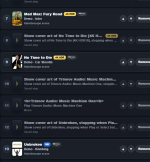
Hm, not really - see screenshot:The Trinnov titles are listed on Script Writer, by the way, as that does use the local system movie list because you can only add steps to a script if the title is on your system and playable.