• Thanks for visiting the Kaleidescape Owners' Forum

    This forum is for the community of Kaleidescape owners, and others interested in learning about the system, equipment, services, and the company itself.

    It is run by a group of enthusiastic Kaleidescape owners and dealers purely as a service to this community.

    This board is not affiliated in any way with Kaleidescape, Inc.
    For official technical support, product information, or customer service, please visit www.kaleidescape.com

    You can dismiss this box forever by clicking the "X" in the upper right corner of this message.
  • You are currently in "Guest" mode and not logged in with a registered account.

    The forum is free to use and most of the forum can be used by guests who are not registered....

    ... but we strongly encourage you to register for a full account. There is no cost to register for a full account.

    Benefits of registering for a full account:

    • Participate in the discussions! You must have a registered account to make posts on the forums. You will be able to start your own thread on a topic or question, or you can reply to other threads/discussions.
    • Use the "Conversation" feature (known as "private messaging" on other forums) to communicate directly with any of the other users here.
    • Access the Files area. The "resources" area of the forum contains many "Favorite Scene" and Script files that can dramatically increase the enjoyment of your Kaleidescape system. Go directly to great scenes in your favorite movies, created by other owners, and add automation to playback of your system with Scripts.
    • You won't see this annoying notice at the top of every screen!😊

    It's easy and free to register for the forum. Just click the "Register" button in the upper right corner of this page, and follow the instructions there.

    This box goes away for registered users.

NEWS: Strato K Movie Player with 8K capability and new "4K Cinematic" full-chroma & higher bitrate support

Nothing about 4:2:2 should be changing saturation or overall color values. I wonder if you have something configured such that this is getting a different set of settings in your system. It seems to me that the only three options are either configuration error, a bug in the content that's providing too-vivid color values, or placebo.
It was the same color, but better produced. It’s hard to describe. It’s not saturation. Vibrant is the best way I can describe it. It was the same video settings from the same source; I tried to eliminate variables. And it was different enough to not be placebo. Yes, the file is different, as it’s a different format, and it might be the cumulative effect of several variables in the file, but it’s a positive effect and not one that looked unnatural. I don’t want to be dismissive of a potential error, but it would be helpful to know if you have had a chance to view Cinematic titles in person yet?
 
It was the same color, but better produced. It’s hard to describe. It’s not saturation. Vibrant is the best way I can describe it. It was the same video settings from the same source; I tried to eliminate variables. And it was different enough to not be placebo. Yes, the file is different, as it’s a different format, and it might be the cumulative effect of several variables in the file, but it’s a positive effect and not one that looked unnatural. I don’t want to be dismissive of a potential error, but it would be helpful to know if you have had a chance to view Cinematic titles in person yet?

Happy to know that the K arrived in time and thanks for your invaluable observations.
Can I summarize from your reviews that HDR 10 444 which is 10 Bit is the best format as compared to DV 4:2:2 which is 11.5 Bit?
I think 'Valerian' will be the bomb in Cinematic - there is so much Cyan in the movie and lot of great scenes
And then off course The Revenent which I have watched many many times in the past.
 
I want to test the Strato K on another TV that is 8K. I currently have it connected to the 4K TV. Do all I need to do is make sure and restart the K in order for it to pick up the new EDID info? Anyone else using their K on two different systems?
 
Happy to know that the K arrived in time and thanks for your invaluable observations.
Can I summarize from your reviews that HDR 10 444 which is 10 Bit is the best format as compared to DV 4:2:2 which is 11.5 Bit?
I think 'Valerian' will be the bomb in Cinematic - there is so much Cyan in the movie and lot of great scenes
And then off course The Revenent which I have watched many many times in the past.
Until my extreme MK3 arrives in my main HT, I have been test driving the K with my 77” Sony A95L Qd-oled. I’m having a really tough time deciding b/w HDR10 cinematic (4:4:4) and DV cinematic. There is some extra “sauce” on Cinematic DV which I cannot quite articulate into words. I might be in the minority out here, if I suggest that if push comes to shove, DV cinematic might have the edge. But like everything else in life…ymmv.
 
I want to test the Strato K on another TV that is 8K. I currently have it connected to the 4K TV. Do all I need to do is make sure and restart the K in order for it to pick up the new EDID info? Anyone else using their K on two different systems?
I had it connected initially in my HT and then moved it to the secondary area with my QD-Oled. Didn’t have to do anything. Plug and play, flawless operation. But you could always do a restart in case you encounter any bottlenecks.
 
Until my extreme MK3 arrives in my main HT, I have been test driving the K with my 77” Sony A95L Qd-oled. I’m having a really tough time deciding b/w HDR10 cinematic (4:4:4) and DV cinematic. There is some extra “sauce” on Cinematic DV which I cannot quite articulate into words. I might be in the minority out here, if I suggest that if push comes to shove, DV cinematic might have the edge. But like everything else in life…ymmv.
I have that same TV… what hdmi port are you running the K into? From what I was reading to get the chroma 4:4:4 you have to put the tv in pc mode which bypasses the TV’s processing, how are you running it? Thank you… sorry about the questions, just trying to figure out the best way to set it up
 
Until my extreme MK3 arrives in my main HT, I have been test driving the K with my 77” Sony A95L Qd-oled. I’m having a really tough time deciding b/w HDR10 cinematic (4:4:4) and DV cinematic. There is some extra “sauce” on Cinematic DV which I cannot quite articulate into words. I might be in the minority out here, if I suggest that if push comes to shove, DV cinematic might have the edge. But like everything else in life…ymmv.
I have always 'liked' the way DV looks - it may be the secret sauce they have and I have read experts that say that Dolby have thier proprietary picture making algos.
It is something like I prefer DLP (RGB 3 chip) over LCOS so that may me why you can like one over the other - its a matter of personal preference.
Just looking at it technically DV does 4:2:2 with 11.5 bits and HDR 10 4:4:4 10 Bits - and looking the recent interview of K the colors on 4:4:4 look much the same as 4:2:2 so you can pick your poison if the bit depth matters to you more.
 
I have that same TV… what hdmi port are you running the K into? From what I was reading to get the chroma 4:4:4 you have to put the tv in pc mode which bypasses the TV’s processing, how are you running it? Thank you… sorry about the questions, just trying to figure out the best way to set it up

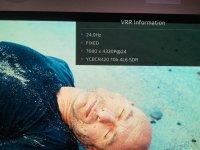
I have plugged it into the AVR (Denon 8500H). Single eArc from AVR to display. All my sources are plugged into the AVR. Same case in my HT as well. I think you can plug the K into any port of the A95L (make sure they’re enhanced) and if you’re using port 4, don’t enable VRR.
 
Happy to know that the K arrived in time and thanks for your invaluable observations.
Can I summarize from your reviews that HDR 10 444 which is 10 Bit is the best format as compared to DV 4:2:2 which is 11.5 Bit?
I think 'Valerian' will be the bomb in Cinematic - there is so much Cyan in the movie and lot of great scenes
And then off course The Revenent which I have watched many many times in the past.
I’ll need to check more movies to know if there is enough of a difference to be meaningful. I mostly looked at DV versions and some of the films without DV were still 4:2:2 in HRD10. Harry Potter was one of the few with a 4:4:4 HDR10 version and that was a tough call against DV. It might also be highly dependent on display type. From what others have said, what to avoid is the DV to HDR10 auto conversion, although I haven’t had the need to test this feature myself.
 
AI says...
For general video quality, color grading, and High Dynamic Range (HDR), a high bit depth (10-bit or 12-bit) is significantly more important than full chroma subsampling (4:4:4).

If that's true then DV wins
 
I want to test the Strato K on another TV that is 8K. I currently have it connected to the 4K TV. Do all I need to do is make sure and restart the K in order for it to pick up the new EDID info? Anyone else using their K on two different systems?

That’ll work, but turn the TV on first the first time you boot the K on the new TV. As a heads up, you may experience what I experienced where when you reconnect it to a 4K tv you have to go into the Component Settings > Show Advanced Video Settings > 4K & 8K Ultra HD Support > Select Limit to HDMI 2.0 features up 18Gbps in order to get a stable connection/handshake. 4K cinematic etc will still work, but you’ll need to switch this back to automatic whenever you go back to the 8K TV.
 
I have plugged it into the AVR (Denon 8500H). Single eArc from AVR to display. All my sources are plugged into the AVR. ...
A heads-up. I had my Strato-S connected as above to an Anthem AVM70 and a Samsung S90D. I found that for whatever reason the TV was altering the sound the AVM played, in particular converting DTS to Multi PCM and losing the sound's "DTS-X"-ness.

I'm in the process of rectifying by using the Strato-S's audio only to the AVM and video to the TV.
 
A heads-up. I had my Strato-S connected as above to an Anthem AVM70 and a Samsung S90D. I found that for whatever reason the TV was altering the sound the AVM played, in particular converting DTS to Multi PCM and losing the sound's "DTS-X"-ness.

I'm in the process of rectifying by using the Strato-S's audio only to the AVM and video to the TV.

Most TV’s either don’t handle DTS at all or don’t handle it well. EARC is really only good for Dolby formats or PCM
 
Most TV’s either don’t handle DTS at all or don’t handle it well. EARC is really only good for Dolby formats or PCM
Yeah, I was surprised that the AVM didn't use the audio from the HDMI that was connected to it. Rather, it seemed to send it to the TV and then used eARC. Could be because of CEC volume control, but still.
 
Yeah, I was surprised that the AVM didn't use the audio from the HDMI that was connected to it. Rather, it seemed to send it to the TV and then used eARC. Could be because of CEC volume control, but still.
Turn off eARC and CEC.
 
That’ll work, but turn the TV on first the first time you boot the K on the new TV. As a heads up, you may experience what I experienced where when you reconnect it to a 4K tv you have to go into the Component Settings > Show Advanced Video Settings > 4K & 8K Ultra HD Support > Select

in order to get a stable connection/handshake. 4K cinematic etc will still work, but you’ll need to switch this back to automatic whenever you go back to the 8K TV.
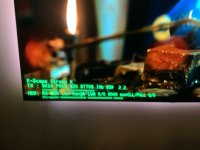
I was able to quickly do a test with the LG 8K TV this morning. It was blank for quite a while with the TV indicating "Invalid format", whatever that means. I had to do a restart on the K for it to finally recover. I played the one 8K title and it looked great. I made sure that is was being sent as 8K as shown here:
HDFuryInfo.jpg

LGInfo.jpg

I did have to change the "Limit to HDMI 2.0 features up 18Gbps" back when I took it back to the 4K TV. Next, they need to provide an 8K HDR files for us to test, right? :)

I'm excited that we are finally getting a device to playback 8K without having to go to YouTube to watch it over streaming. Prospects are looking good for the future.

I don't think we're quite at the "plug & play" stage yet.
 
A heads-up. I had my Strato-S connected as above to an Anthem AVM70 and a Samsung S90D. I found that for whatever reason the TV was altering the sound the AVM played, in particular converting DTS to Multi PCM and losing the sound's "DTS-X"-ness.

I'm in the process of rectifying by using the Strato-S's audio only to the AVM and video to the TV.
Samsung S90d does not support DTS formats. Samsung dropped native support for DTS decoding and passthrough on their TVs since 2018. The TV will generally only output it as Stereo PCM.

Edit: Just noticed you were able to fix the issue.
 
AI says...
For general video quality, color grading, and High Dynamic Range (HDR), a high bit depth (10-bit or 12-bit) is significantly more important than full chroma subsampling (4:4:4).

If that's true then DV wins
I think the last thing you need to worry about is bit depth with these titles. What is going to win with HDR vs Dolby Vision has way more to do with the display you are using and how it handles each of those. Comparisons are probably comparing the display's ability to handle either format far more than the difference in the actual playback file.
 
Back
Top