• Thanks for visiting the Kaleidescape Owners' Forum

    This forum is for the community of Kaleidescape owners, and others interested in learning about the system, equipment, services, and the company itself.

    It is run by a group of enthusiastic Kaleidescape owners and dealers purely as a service to this community.

    This board is not affiliated in any way with Kaleidescape, Inc.
    For official technical support, product information, or customer service, please visit www.kaleidescape.com

    You can dismiss this box forever by clicking the "X" in the upper right corner of this message.
  • You are currently in "Guest" mode and not logged in with a registered account.

    The forum is free to use and most of the forum can be used by guests who are not registered....

    ... but we strongly encourage you to register for a full account. There is no cost to register for a full account.

    Benefits of registering for a full account:

    • Participate in the discussions! You must have a registered account to make posts on the forums. You will be able to start your own thread on a topic or question, or you can reply to other threads/discussions.
    • Use the "Conversation" feature (known as "private messaging" on other forums) to communicate directly with any of the other users here.
    • Access the Files area. The "resources" area of the forum contains many "Favorite Scene" and Script files that can dramatically increase the enjoyment of your Kaleidescape system. Go directly to great scenes in your favorite movies, created by other owners, and add automation to playback of your system with Scripts.
    • You won't see this annoying notice at the top of every screen!😊

    It's easy and free to register for the forum. Just click the "Register" button in the upper right corner of this page, and follow the instructions there.

    This box goes away for registered users.

Have User Scenes Survive Movie Updates

Edgar

Well-known member
⭐️⭐️PATRON⭐️⭐️
Joined
Oct 29, 2023
Messages
838
Location
North by Pacific Northwest
Hi, I couldn’t find this listed as a feature request, but it is my top request and comes up a lot in forum and owner discussions.

User-created scenes are currently erased when you update a movie. This also breaks scripts we create. I think this creates a downward spiral in the usability of the feature as well, since users are discouraged from putting time into the feature. Either creating scripts or downloading them, since they are rapidly made obsolete by frequent rounds of updates.
 
Hi, I couldn’t find this listed as a feature request, but it is my top request and comes up a lot in forum and owner discussions.

User-created scenes are currently erased when you update a movie. This also breaks scripts we create. I think this creates a downward spiral in the usability of the feature as well, since users are discouraged from putting time into the feature. Either creating scripts or downloading them, since they are rapidly made obsolete by frequent rounds of updates.
This ⬆️ .

I have actually lost interest in creating scripts, one of the KScape features that attracted me in the first place. Too much time and effort lost.
 
Creating scripts could also be made easier with the functionality to create scripts directly within the updated iPhone app. Within the new app, under My System, there is a scenes button that when tapped displays all the scenes for a movie that can be played directly on the system by tapping. Why not make the scenes screen editable, allowing scenes from various movie to be selected to be added to scripts managed under a separate tab? Maybe this would make it less likely for scripts to be broken as well on movie updates. It wouldn’t be a fix for scripts with custom scenes but it’s a start. I’m sure many more people would use the scripts feature if it was made more accessible.
 
Creating scripts could also be made easier with the functionality to create scripts directly within the updated iPhone app. Within the new app, under My System, there is a scenes button that when tapped displays all the scenes for a movie that can be played directly on the system by tapping. Why not make the scenes screen editable, allowing scenes from various movie to be selected to be added to scripts managed under a separate tab? Maybe this would make it less likely for scripts to be broken as well on movie updates. It wouldn’t be a fix for scripts with custom scenes but it’s a start. I’m sure many more people would use the scripts feature if it was made more accessible.
I really like that idea for the app. I originally hesitated in asking for an improved scene creation user flow, I didn’t want to overwhelm the team with a sizable engineering debt request. But making it part of an existing dev workflow is brilliant.
 
I really like that idea for the app. I originally hesitated in asking for an improved scene creation user flow, I didn’t want to overwhelm the team with a sizable engineering debt request. But making it part of an existing dev workflow is brilliant.
Scene buttons are part of the Second Screen app, and they have mentioned those as being a target for the K store app 2.x, so now's as good a time as any to put bug to ear.
 
To give you guys a bit of back story on this, the current limitation with scenes dates back to the disc-based systems. Because of the complexity of playing discs from arbitrary start points, when they could have multiple different menu options (e.g. selectable theatrical or director's cut, commentary on/off, and so on), the internal data structure of a scene bookmark is very complex and highly dependent on matching the exact pressing of the disc from which it was made. (This is the same reason that on disc-based systems, you'll sometimes see movies that have guide information, but only have a "Play Disc" option -- those discs were alternate pressings of the movie with some change to the disc's authoring, which prevents the start-of-movie bookmark from being able to be used.)

Anyway, the good news about movies downloaded from the Movie Store is that they are typically very simple files without all of that added complexity, and so a simple time-based portable bookmark is much more of a realistic prospect.

I hope that explains why this feature doesn't exist yet. I can't say when we might be able to add portable bookmarks, but it's something that is on our radar and is more feasible today than it used to be.
 
To give you guys a bit of back story on this, the current limitation with scenes dates back to the disc-based systems. Because of the complexity of playing discs from arbitrary start points, when they could have multiple different menu options (e.g. selectable theatrical or director's cut, commentary on/off, and so on), the internal data structure of a scene bookmark is very complex and highly dependent on matching the exact pressing of the disc from which it was made. (This is the same reason that on disc-based systems, you'll sometimes see movies that have guide information, but only have a "Play Disc" option -- those discs were alternate pressings of the movie with some change to the disc's authoring, which prevents the start-of-movie bookmark from being able to be used.)

Anyway, the good news about movies downloaded from the Movie Store is that they are typically very simple files without all of that added complexity, and so a simple time-based portable bookmark is much more of a realistic prospect.

I hope that explains why this feature doesn't exist yet. I can't say when we might be able to add portable bookmarks, but it's something that is on our radar and is more feasible today than it used to be.
Thank you for that context. It’s very helpful to understand it a bit better and have this communication about it.

Have you by any chance seen @OUTATIME ’s “Popcorn Ready” Chrome Extension? It has a workaround to re-create a Script after an update. Before you install an update, you run it to record all your own created Scenes’ start times. That preserves your Scenes in his editor. You then rebuild your Scripts based on that half-way mark. In fact, I’m going to go check the aftermath of my 4K Cinematic replacement day, and see what that did to my Scripts. And whether Popcorn Ready can get me back to where I was.
 
I have not seen that! That's cool. I can think of some cases where that's not going to work, but for most current movie store content and assuming that you have not made special selections for things like subtitles or audio tracks when creating the scene, it should.
 
I have not seen that! That's cool. I can think of some cases where that's not going to work, but for most current movie store content and assuming that you have not made special selections for things like subtitles or audio tracks when creating the scene, it should.
I just logged on and much to my surprise, Popcorn Ready had not just saved all my scenes, but also applied them to the 4K Cinematic files! It's still calling them "4K HDR" files, but those actual 4K HDR files are definitely off the server now. Plus the current files are using the official names for the Star Wars movies, which I had edited for my previous actual 4K HDR files.

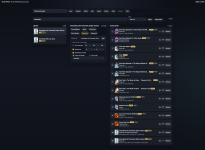
For some reason, Interstellar didn't survive, but that's easy to fix, especially since I'm using an existing K scene. Here's what the interface looks like. If you and @OUTATIME can collaborate, I think all of us will benefit!Screenshot 2026-06-23 at 5.30.22 PM.png
 
Last edited:
Back
Top